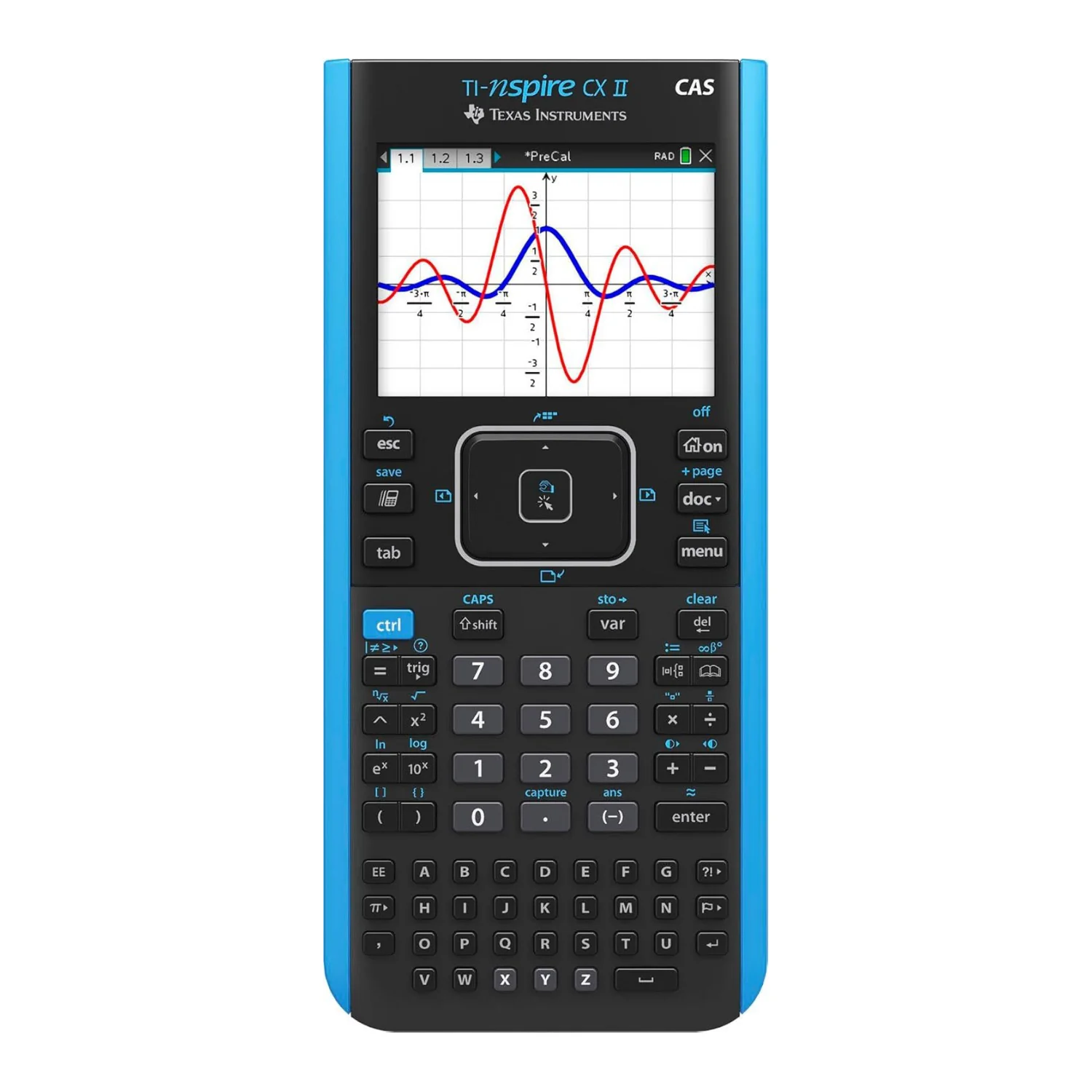
Texas Instruments TI-Nspire CX II CAS Color Graphing Calculator with Software
Texas Instruments TI-Nspire CX II CAS Color Graphing Calculator with Student Software (PC/Mac)
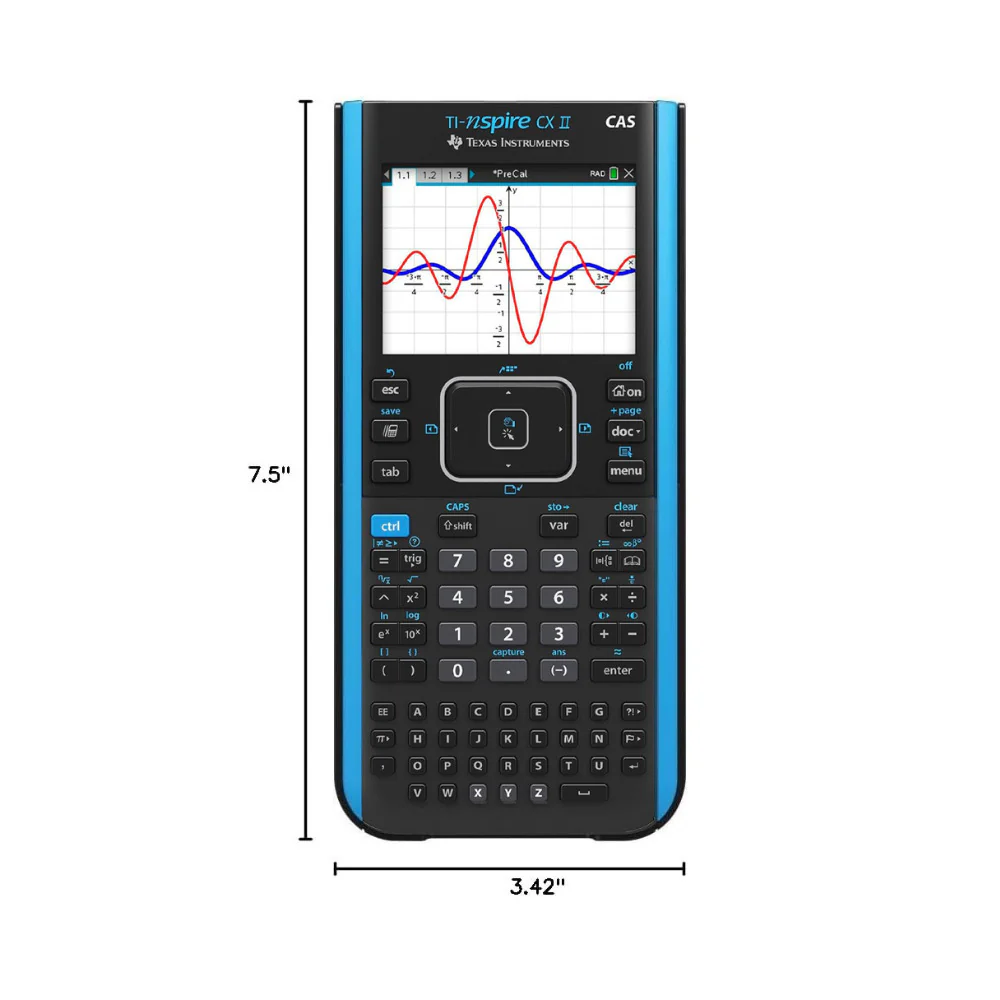
The Texas Instruments TI-Nspire CX II CAS Color Graphing Calculator offers enhanced speed, improved visuals, and powerful functionality, making it a top choice for students and educators alike. With real-time animated path plotting, users can visualize how function, parametric, and polar graphs are drawn, deepening their understanding of mathematical behavior. Dynamic coefficient manipulation allows students to see immediate connections between equations and their graphical representations, while the ability to define points by coordinates, sliders, or expressions adds flexibility to graph creation and analysis.
New features such as tick-mark labels help establish a clearer visual context on graphs, and enhanced TI-Basic programming capabilities support the creation of interactive, visual learning tools for math, science, and STEM concepts. The user interface has been updated with more readable graphics, color-coded screen tabs, and new app icons to streamline navigation.
Built on a robust foundation, the TI-Nspire CX II CAS includes core functionalities such as a full-featured calculator that allows for the input of computations, expressions, and equations in proper mathematical notation. The graphing tool lets users plot and explore functions, inequalities, and equations with the aid of sliders and animations. Geometry tools enable the construction of dynamic figures and visual demonstrations. The Vernier DataQuest application combines hypothesis-building and data collection in a single environment for real-time experimentation. Additionally, the Lists & Spreadsheet application helps students analyze data through mathematical operations and draw meaningful connections between data and their graphical plots.
More Images



Texas Instruments TI-Nspire CX II CAS Color Graphing Calculator with Software
Texas Instruments TI-Nspire CX II CAS Color Graphing Calculator with Student Software (PC/Mac)
The Texas Instruments TI-Nspire CX II CAS Color Graphing Calculator offers enhanced speed, improved visuals, and powerful functionality, making it a top choice for students and educators alike. With real-time animated path plotting, users can visualize how function, parametric, and polar graphs are drawn, deepening their understanding of mathematical behavior. Dynamic coefficient manipulation allows students to see immediate connections between equations and their graphical representations, while the ability to define points by coordinates, sliders, or expressions adds flexibility to graph creation and analysis.
New features such as tick-mark labels help establish a clearer visual context on graphs, and enhanced TI-Basic programming capabilities support the creation of interactive, visual learning tools for math, science, and STEM concepts. The user interface has been updated with more readable graphics, color-coded screen tabs, and new app icons to streamline navigation.
Built on a robust foundation, the TI-Nspire CX II CAS includes core functionalities such as a full-featured calculator that allows for the input of computations, expressions, and equations in proper mathematical notation. The graphing tool lets users plot and explore functions, inequalities, and equations with the aid of sliders and animations. Geometry tools enable the construction of dynamic figures and visual demonstrations. The Vernier DataQuest application combines hypothesis-building and data collection in a single environment for real-time experimentation. Additionally, the Lists & Spreadsheet application helps students analyze data through mathematical operations and draw meaningful connections between data and their graphical plots.
Product Information
Product Information
Shipping & Returns
Shipping & Returns
Description
Texas Instruments TI-Nspire CX II CAS Color Graphing Calculator with Student Software (PC/Mac)
The Texas Instruments TI-Nspire CX II CAS Color Graphing Calculator offers enhanced speed, improved visuals, and powerful functionality, making it a top choice for students and educators alike. With real-time animated path plotting, users can visualize how function, parametric, and polar graphs are drawn, deepening their understanding of mathematical behavior. Dynamic coefficient manipulation allows students to see immediate connections between equations and their graphical representations, while the ability to define points by coordinates, sliders, or expressions adds flexibility to graph creation and analysis.
New features such as tick-mark labels help establish a clearer visual context on graphs, and enhanced TI-Basic programming capabilities support the creation of interactive, visual learning tools for math, science, and STEM concepts. The user interface has been updated with more readable graphics, color-coded screen tabs, and new app icons to streamline navigation.
Built on a robust foundation, the TI-Nspire CX II CAS includes core functionalities such as a full-featured calculator that allows for the input of computations, expressions, and equations in proper mathematical notation. The graphing tool lets users plot and explore functions, inequalities, and equations with the aid of sliders and animations. Geometry tools enable the construction of dynamic figures and visual demonstrations. The Vernier DataQuest application combines hypothesis-building and data collection in a single environment for real-time experimentation. Additionally, the Lists & Spreadsheet application helps students analyze data through mathematical operations and draw meaningful connections between data and their graphical plots.