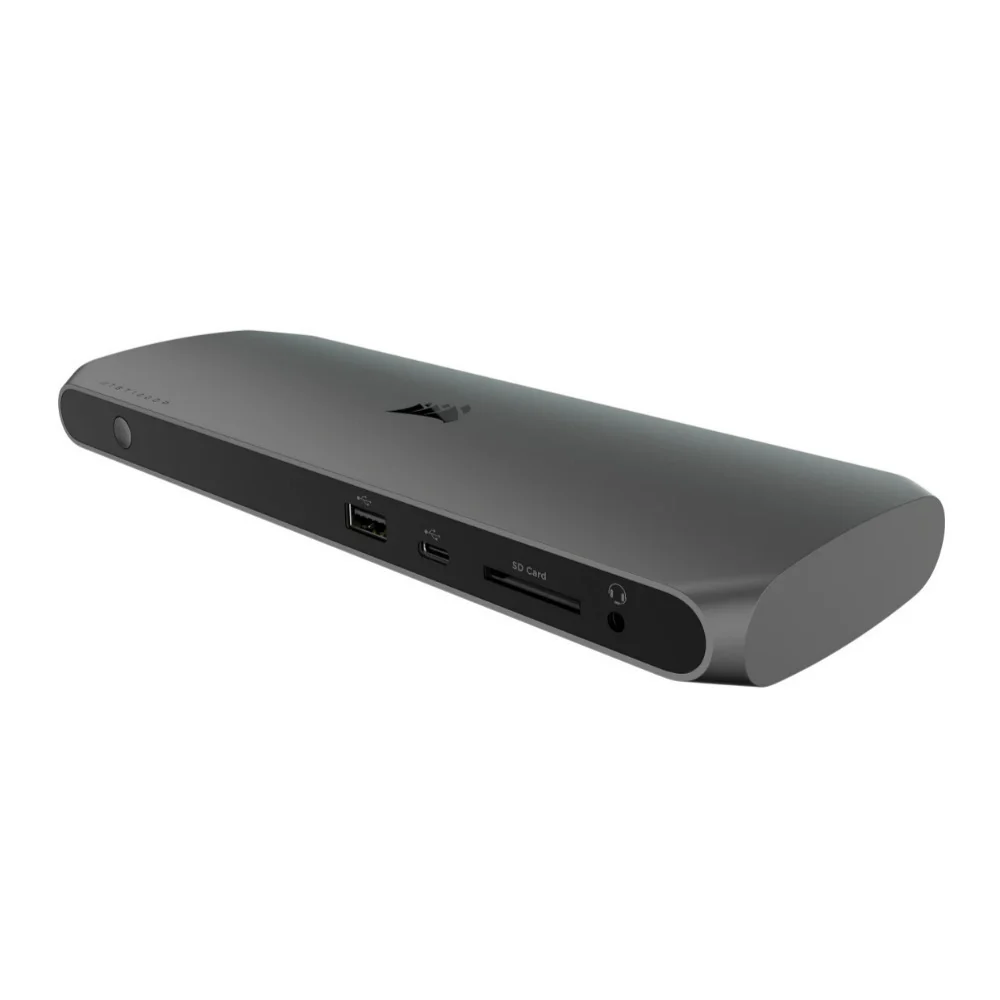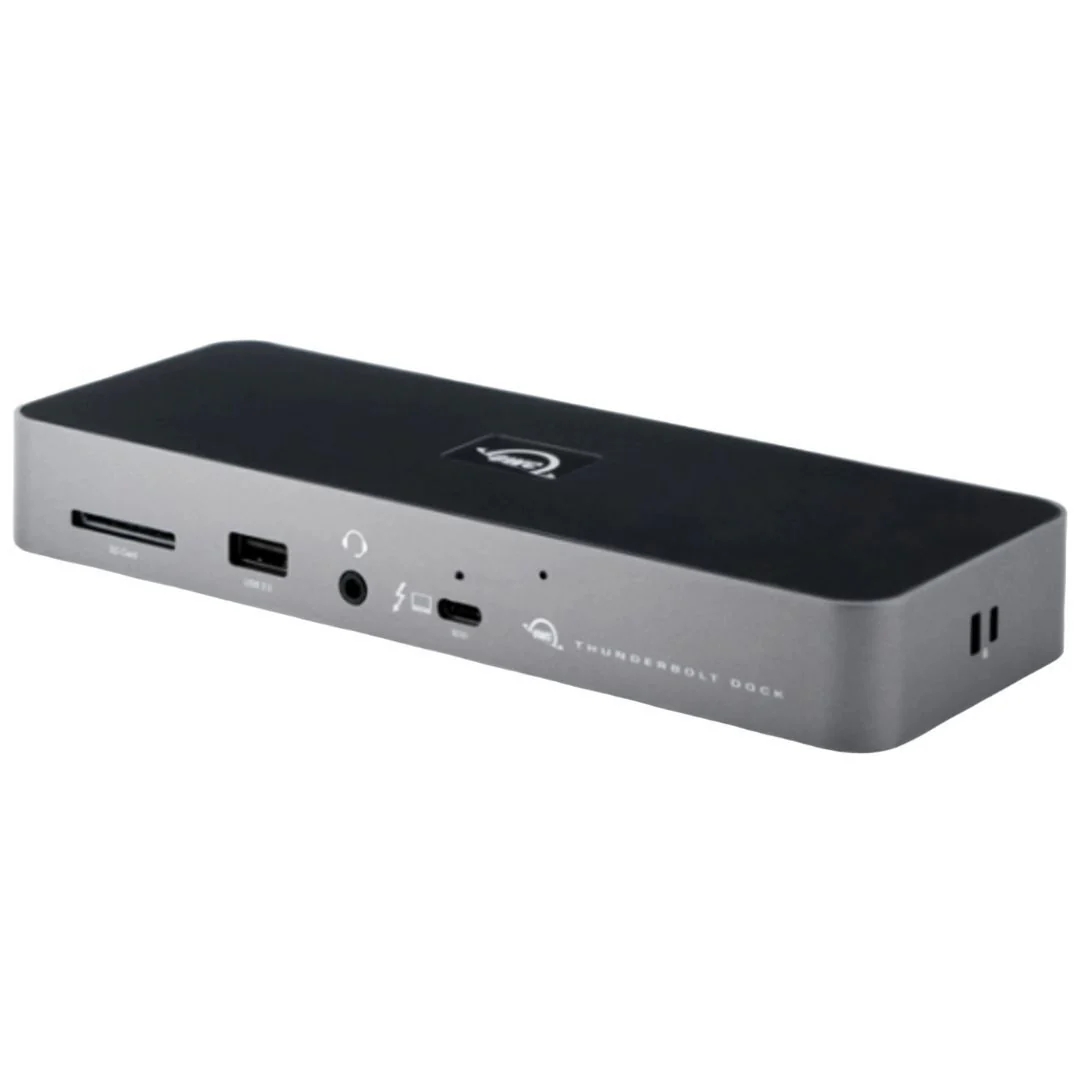
OWC 11-Port Thunderbolt Dock with 4 Ports, 4 USB Ports, and Ethernet for Thunderbolt 3 Mac or PC
OWC 11-Port Thunderbolt Dock with 4 Ports, 4 USB Ports, and Ethernet for Thunderbolt 3 Mac or PC
Massively expand the functionality of your port-limited
Apple M1 Mac, Apple 'Intel' Mac with Thunderbolt 3, or any Thunderbolt 4 PC
with the OWC 11-Port Thunderbolt Dock. Gain convenient access to portable gear,
headphones, and SD cards. Add your favorite Thunderbolt and USB devices.
Connect Gigabit Ethernet networking for your workflow, all while keeping your
space free of cable clutter.
Compatibility Facilitates Connectivity
When the latest Thunderbolt appeared on Macs and PCs, it used a USB-C connector
to deliver data transfer, video output, and charging power through the same
cable. The OWC 11-Port Thunderbolt Dock’s Thunderbolt ports use that same USB-C
connector to create a multi-connectivity solution for 100s of millions of
existing and future Thunderbolt computers and devices. Even the ports are fully
USB4 future compatible.
The Past, Present, and Future are Yours
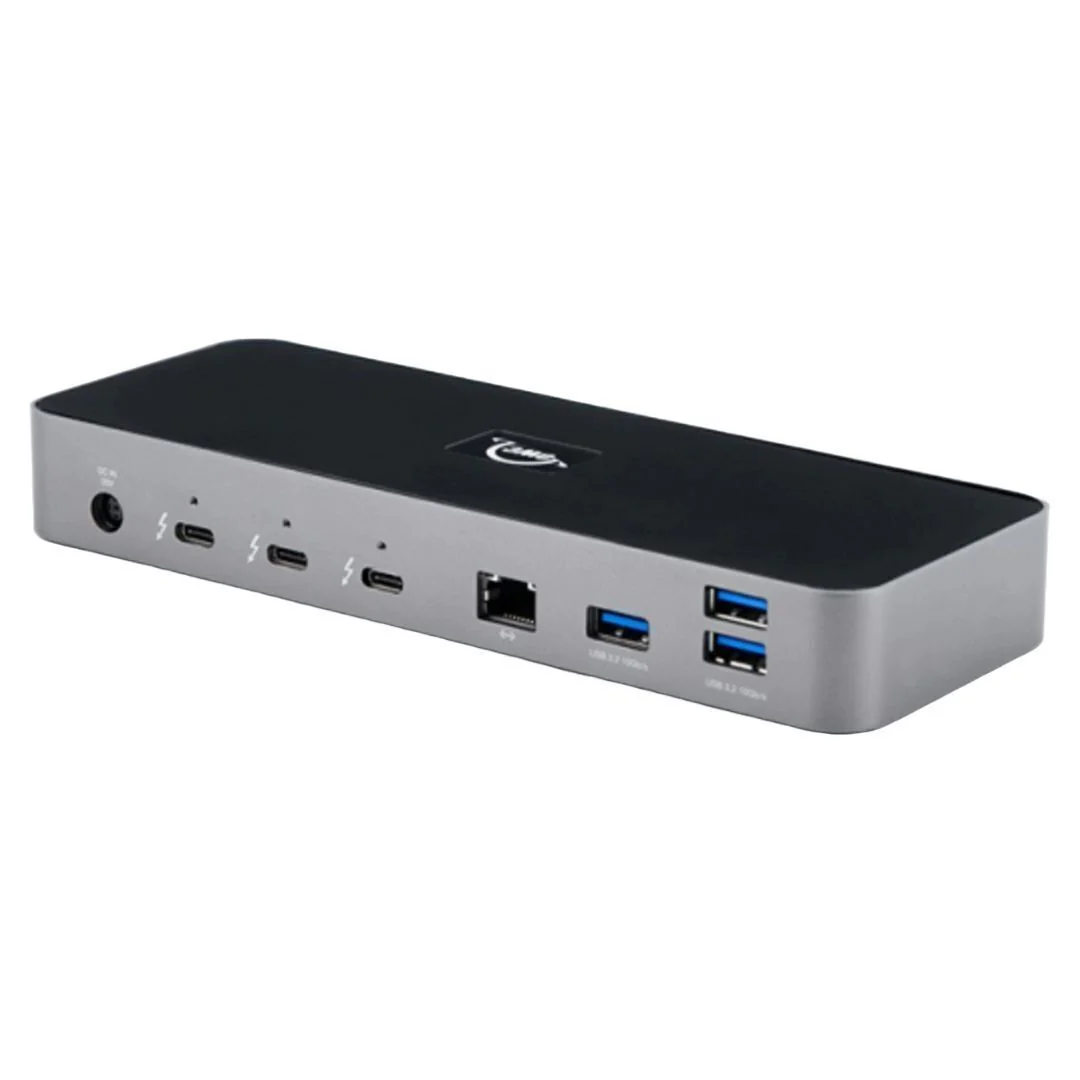
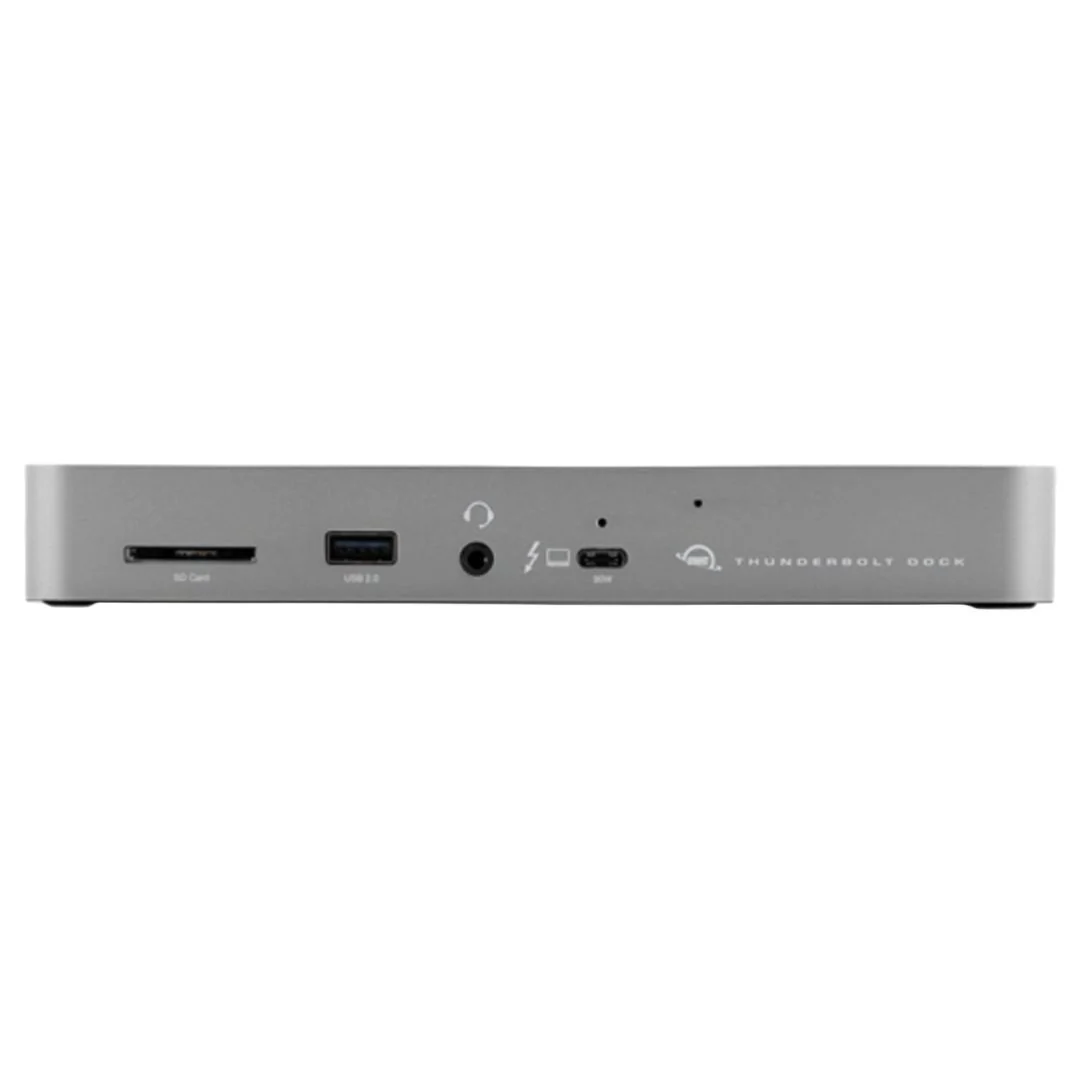
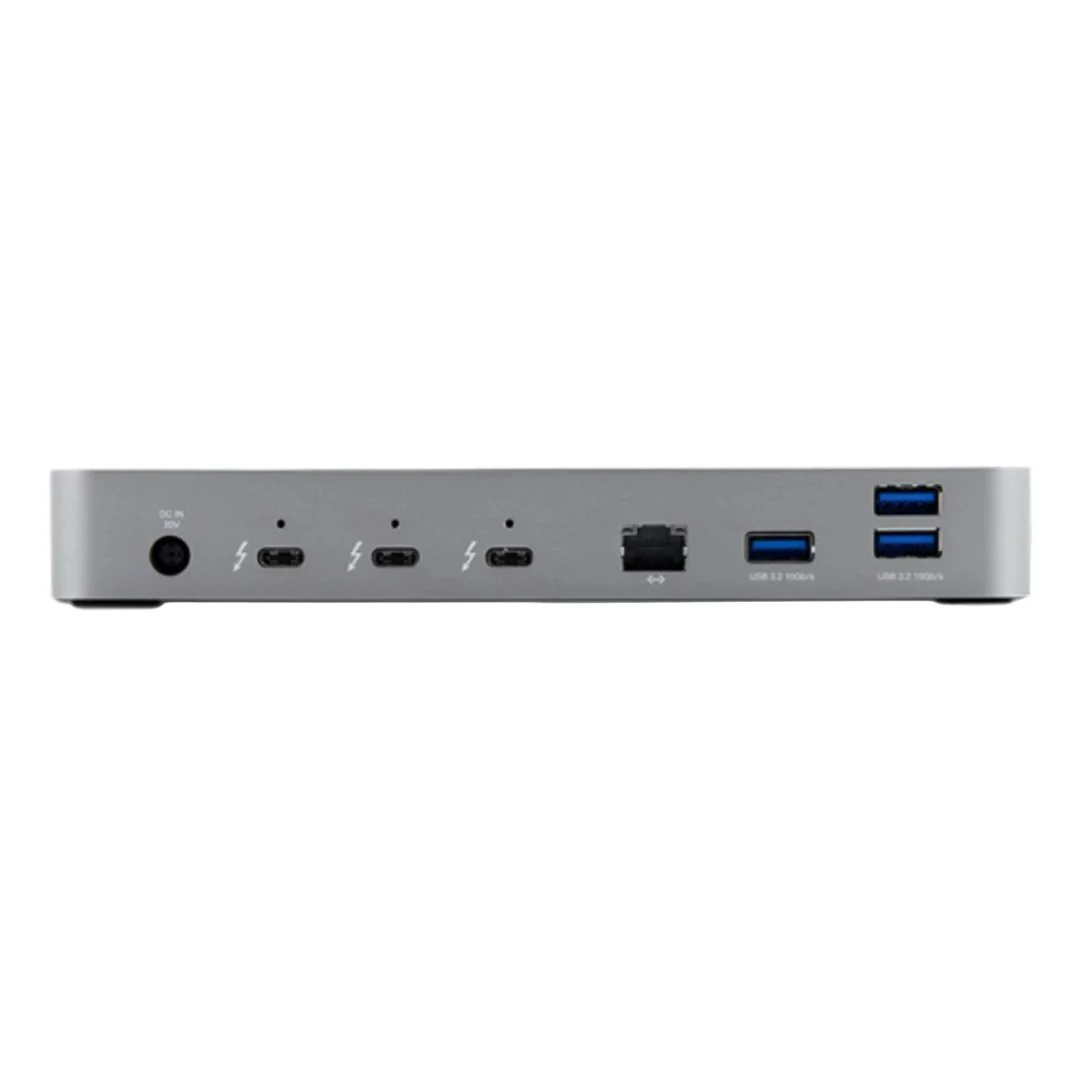
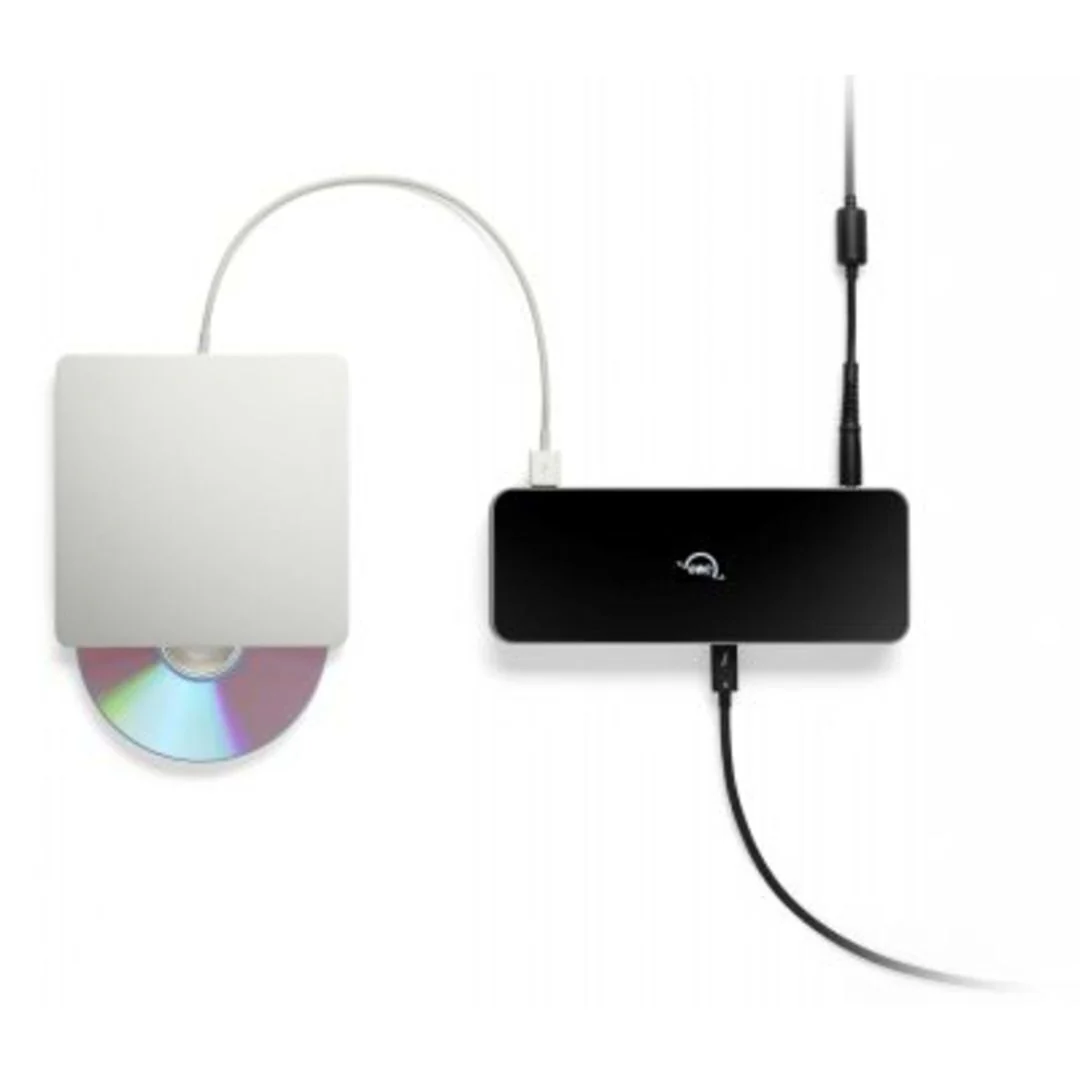
The OWC 11-Port Thunderbolt Dock adds three Thunderbolt ports and four USB
ports to your computer to let you connect to past, present or future
Thunderbolt and USB devices. Up to dual 4K displays or a 5K, 6K, or 8K display,
high-performance storage (including NVMe solutions), A and V mixers, a phone or
tablet, and even desktop accessories like a keyboard or mouse are all fair
game. All accessories with past, present, or future USB or Thunderbolt
interfaces, all connect to the OWC 11-Port Thunderbolt Dock.
Connectivity Reimagined
Daisy chains are sensitive things. Removing any device besides the last one
will break your chain and render devices unusable until the chain is re-established.
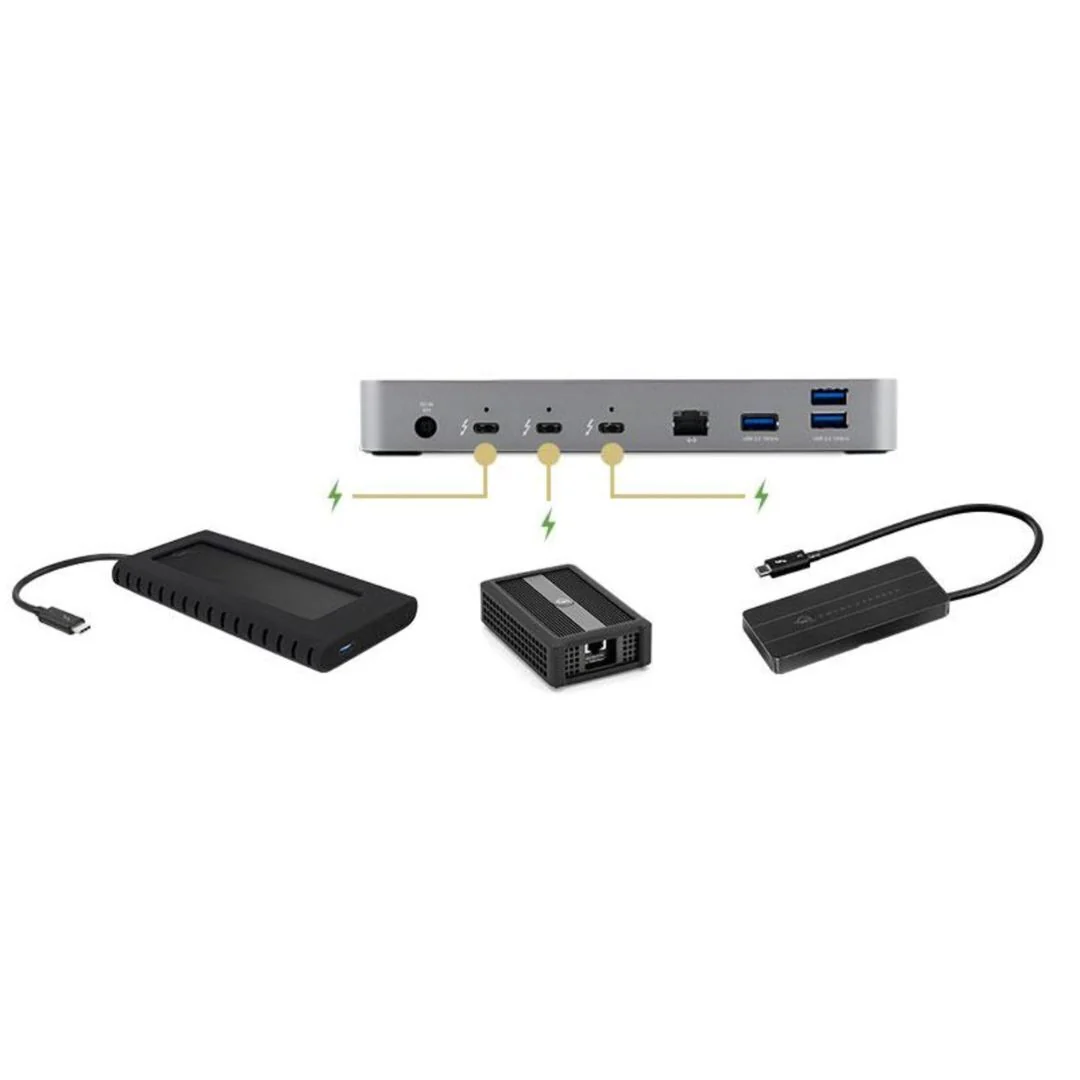
The OWC 11-Port Thunderbolt Dock lets you create three separate ‘tree
branches,’ so you can remove devices from one chain without affecting or
disconnecting the other. You can even take things up a notch by adding three
Thunderbolt bus-powered devices.
Connectivity Reimagined
Daisy chains are sensitive things. Removing any device besides the last one
will break your chain and render devices unusable until the chain is
re-established. The OWC 11-Port Thunderbolt Dock lets you create three separate
‘tree branches,’ so you can remove devices from one chain without affecting or
disconnecting the other. You can even take things up a notch by adding three
Thunderbolt bus-powered devices.
Get Wired
Nothing can put your work schedule behind you faster than slow, low-quality
Wi-Fi. Make bad connection a thing of the past by plugging into a wired network
via the OWC 11-Port Thunderbolt Dock’s Gigabit Ethernet port. You can enjoy
uninterrupted downloads, fast and reliable file transfers, secure network
access, and increased productivity in a collaborative, IP-based workflow.
SD Card Reader
Photo and video creation have become a part of daily life. And it’s a necessity
to get that content to your computer safely. The OWC 11-Port Thunderbolt Dock’s
SD card reader lets you transfer your creative files quickly, easily, and
conveniently. You can even use the reader as an external drive to store or
backup files at will.
A Higher Vision
Thanks to its Thunderbolt technology, the OWC 11-Port Thunderbolt Dock lets you
connect up to a single 5K, 6K, or 8K display, or up to two 4K displays. Enjoy
more precise, vivid details in graphic-intensive CAD drawings. Up your
Photoshop image game. Edit large format video on one display while previewing
the raw playback on the other. Attend a video meeting on one screen while
editing content on another screen. Whatever your workstation display needs, the
OWC 11-Port Thunderbolt Dock gives you the connectivity you need to execute
your vision.
More Images
OWC 11-Port Thunderbolt Dock with 4 Ports, 4 USB Ports, and Ethernet for Thunderbolt 3 Mac or PC
Massively expand the functionality of your port-limited
Apple M1 Mac, Apple 'Intel' Mac with Thunderbolt 3, or any Thunderbolt 4 PC
with the OWC 11-Port Thunderbolt Dock. Gain convenient access to portable gear,
headphones, and SD cards. Add your favorite Thunderbolt and USB devices.
Connect Gigabit Ethernet networking for your workflow, all while keeping your
space free of cable clutter.
Compatibility Facilitates Connectivity
When the latest Thunderbolt appeared on Macs and PCs, it used a USB-C connector
to deliver data transfer, video output, and charging power through the same
cable. The OWC 11-Port Thunderbolt Dock’s Thunderbolt ports use that same USB-C
connector to create a multi-connectivity solution for 100s of millions of
existing and future Thunderbolt computers and devices. Even the ports are fully
USB4 future compatible.
The Past, Present, and Future are Yours
The OWC 11-Port Thunderbolt Dock adds three Thunderbolt ports and four USB
ports to your computer to let you connect to past, present or future
Thunderbolt and USB devices. Up to dual 4K displays or a 5K, 6K, or 8K display,
high-performance storage (including NVMe solutions), A and V mixers, a phone or
tablet, and even desktop accessories like a keyboard or mouse are all fair
game. All accessories with past, present, or future USB or Thunderbolt
interfaces, all connect to the OWC 11-Port Thunderbolt Dock.
Connectivity Reimagined
Daisy chains are sensitive things. Removing any device besides the last one
will break your chain and render devices unusable until the chain is re-established.
The OWC 11-Port Thunderbolt Dock lets you create three separate ‘tree
branches,’ so you can remove devices from one chain without affecting or
disconnecting the other. You can even take things up a notch by adding three
Thunderbolt bus-powered devices.
Connectivity Reimagined
Daisy chains are sensitive things. Removing any device besides the last one
will break your chain and render devices unusable until the chain is
re-established. The OWC 11-Port Thunderbolt Dock lets you create three separate
‘tree branches,’ so you can remove devices from one chain without affecting or
disconnecting the other. You can even take things up a notch by adding three
Thunderbolt bus-powered devices.
Get Wired
Nothing can put your work schedule behind you faster than slow, low-quality
Wi-Fi. Make bad connection a thing of the past by plugging into a wired network
via the OWC 11-Port Thunderbolt Dock’s Gigabit Ethernet port. You can enjoy
uninterrupted downloads, fast and reliable file transfers, secure network
access, and increased productivity in a collaborative, IP-based workflow.
SD Card Reader
Photo and video creation have become a part of daily life. And it’s a necessity
to get that content to your computer safely. The OWC 11-Port Thunderbolt Dock’s
SD card reader lets you transfer your creative files quickly, easily, and
conveniently. You can even use the reader as an external drive to store or
backup files at will.
A Higher Vision
Thanks to its Thunderbolt technology, the OWC 11-Port Thunderbolt Dock lets you
connect up to a single 5K, 6K, or 8K display, or up to two 4K displays. Enjoy
more precise, vivid details in graphic-intensive CAD drawings. Up your
Photoshop image game. Edit large format video on one display while previewing
the raw playback on the other. Attend a video meeting on one screen while
editing content on another screen. Whatever your workstation display needs, the
OWC 11-Port Thunderbolt Dock gives you the connectivity you need to execute
your vision.
Product Information
Product Information
Shipping & Returns
Shipping & Returns
Description
Massively expand the functionality of your port-limited
Apple M1 Mac, Apple 'Intel' Mac with Thunderbolt 3, or any Thunderbolt 4 PC
with the OWC 11-Port Thunderbolt Dock. Gain convenient access to portable gear,
headphones, and SD cards. Add your favorite Thunderbolt and USB devices.
Connect Gigabit Ethernet networking for your workflow, all while keeping your
space free of cable clutter.
Compatibility Facilitates Connectivity
When the latest Thunderbolt appeared on Macs and PCs, it used a USB-C connector
to deliver data transfer, video output, and charging power through the same
cable. The OWC 11-Port Thunderbolt Dock’s Thunderbolt ports use that same USB-C
connector to create a multi-connectivity solution for 100s of millions of
existing and future Thunderbolt computers and devices. Even the ports are fully
USB4 future compatible.
The Past, Present, and Future are Yours
The OWC 11-Port Thunderbolt Dock adds three Thunderbolt ports and four USB
ports to your computer to let you connect to past, present or future
Thunderbolt and USB devices. Up to dual 4K displays or a 5K, 6K, or 8K display,
high-performance storage (including NVMe solutions), A and V mixers, a phone or
tablet, and even desktop accessories like a keyboard or mouse are all fair
game. All accessories with past, present, or future USB or Thunderbolt
interfaces, all connect to the OWC 11-Port Thunderbolt Dock.
Connectivity Reimagined
Daisy chains are sensitive things. Removing any device besides the last one
will break your chain and render devices unusable until the chain is re-established.
The OWC 11-Port Thunderbolt Dock lets you create three separate ‘tree
branches,’ so you can remove devices from one chain without affecting or
disconnecting the other. You can even take things up a notch by adding three
Thunderbolt bus-powered devices.
Connectivity Reimagined
Daisy chains are sensitive things. Removing any device besides the last one
will break your chain and render devices unusable until the chain is
re-established. The OWC 11-Port Thunderbolt Dock lets you create three separate
‘tree branches,’ so you can remove devices from one chain without affecting or
disconnecting the other. You can even take things up a notch by adding three
Thunderbolt bus-powered devices.
Get Wired
Nothing can put your work schedule behind you faster than slow, low-quality
Wi-Fi. Make bad connection a thing of the past by plugging into a wired network
via the OWC 11-Port Thunderbolt Dock’s Gigabit Ethernet port. You can enjoy
uninterrupted downloads, fast and reliable file transfers, secure network
access, and increased productivity in a collaborative, IP-based workflow.
SD Card Reader
Photo and video creation have become a part of daily life. And it’s a necessity
to get that content to your computer safely. The OWC 11-Port Thunderbolt Dock’s
SD card reader lets you transfer your creative files quickly, easily, and
conveniently. You can even use the reader as an external drive to store or
backup files at will.
A Higher Vision
Thanks to its Thunderbolt technology, the OWC 11-Port Thunderbolt Dock lets you
connect up to a single 5K, 6K, or 8K display, or up to two 4K displays. Enjoy
more precise, vivid details in graphic-intensive CAD drawings. Up your
Photoshop image game. Edit large format video on one display while previewing
the raw playback on the other. Attend a video meeting on one screen while
editing content on another screen. Whatever your workstation display needs, the
OWC 11-Port Thunderbolt Dock gives you the connectivity you need to execute
your vision.