OWC 14-Port Thunderbolt Dock with Dock Ejector for Thunderbolt 3 Windows Pcs or Mac (Space Gray)
OWC 14-Port Thunderbolt Dock with Dock Ejector for Thunderbolt 3 Windows Pcs or Mac (Space Gray)
Through a single cable, the OWC 14-Port Thunderbolt Dock
brings 14 ports, convenience, and power to your Thunderbolt 3-equipped Windows
PC or Mac.
Connect, Work, Disconnect, and Go
The days of only working at your desk are gone. OWC is always on the move
bouncing between the desks, meetings, and couches - often in a hurry. With a
single connection to your notebook computer, the OWC 14-Port Thunderbolt Dock
makes coming back to your desk to work and leaving your desk to run to a
meeting, a much quicker endeavor.
The Right Ports, Right Where You Need Them
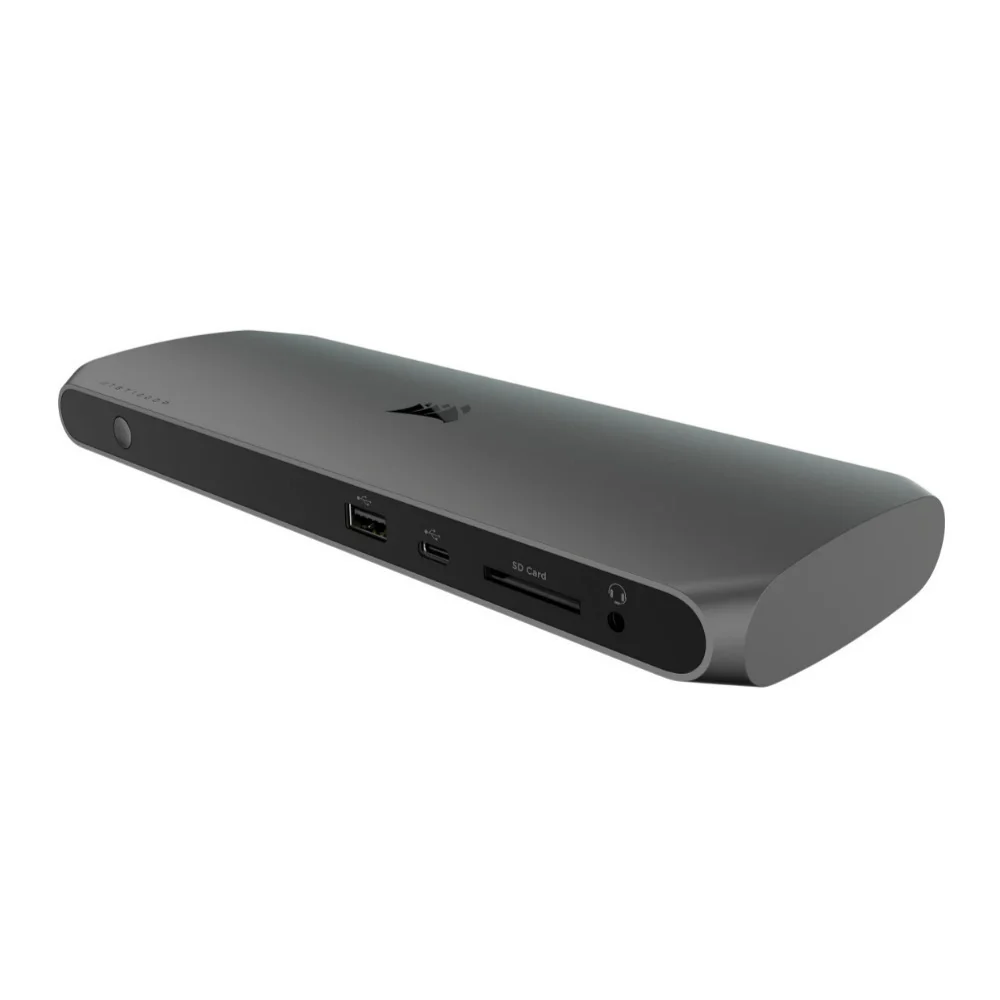
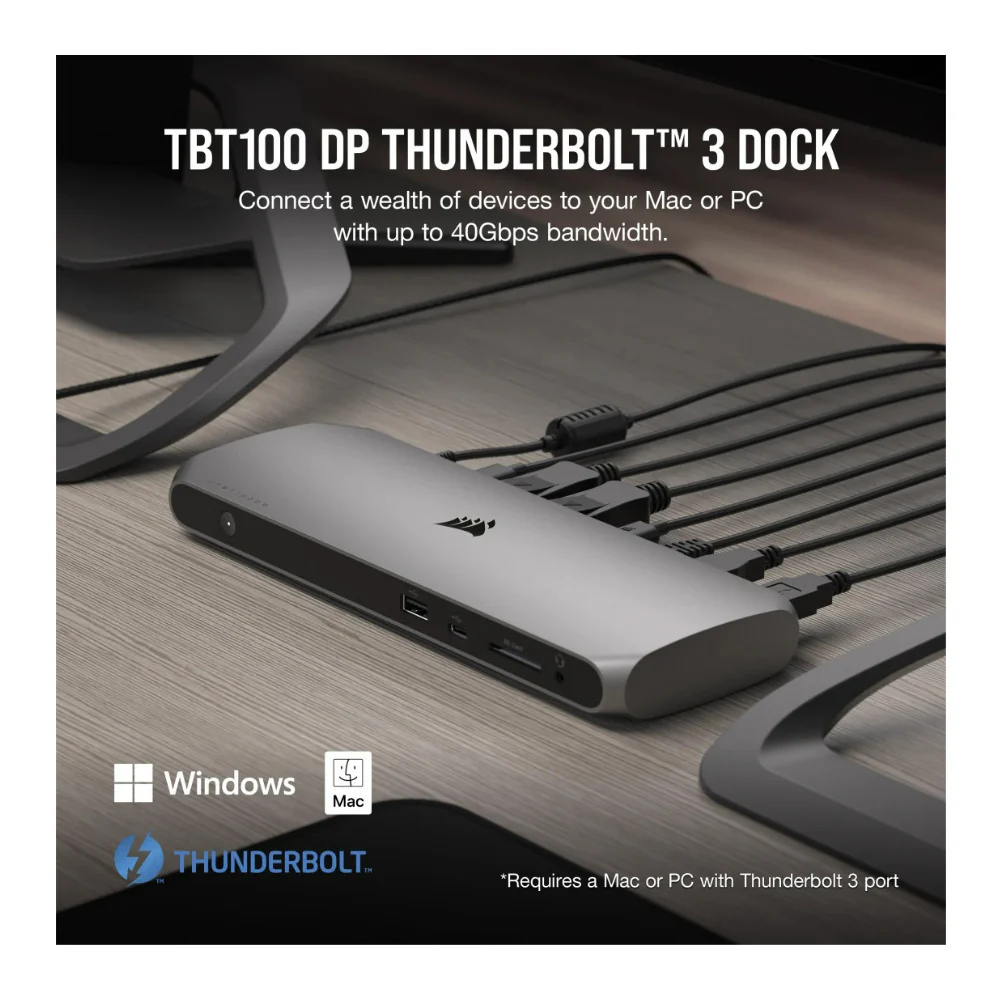
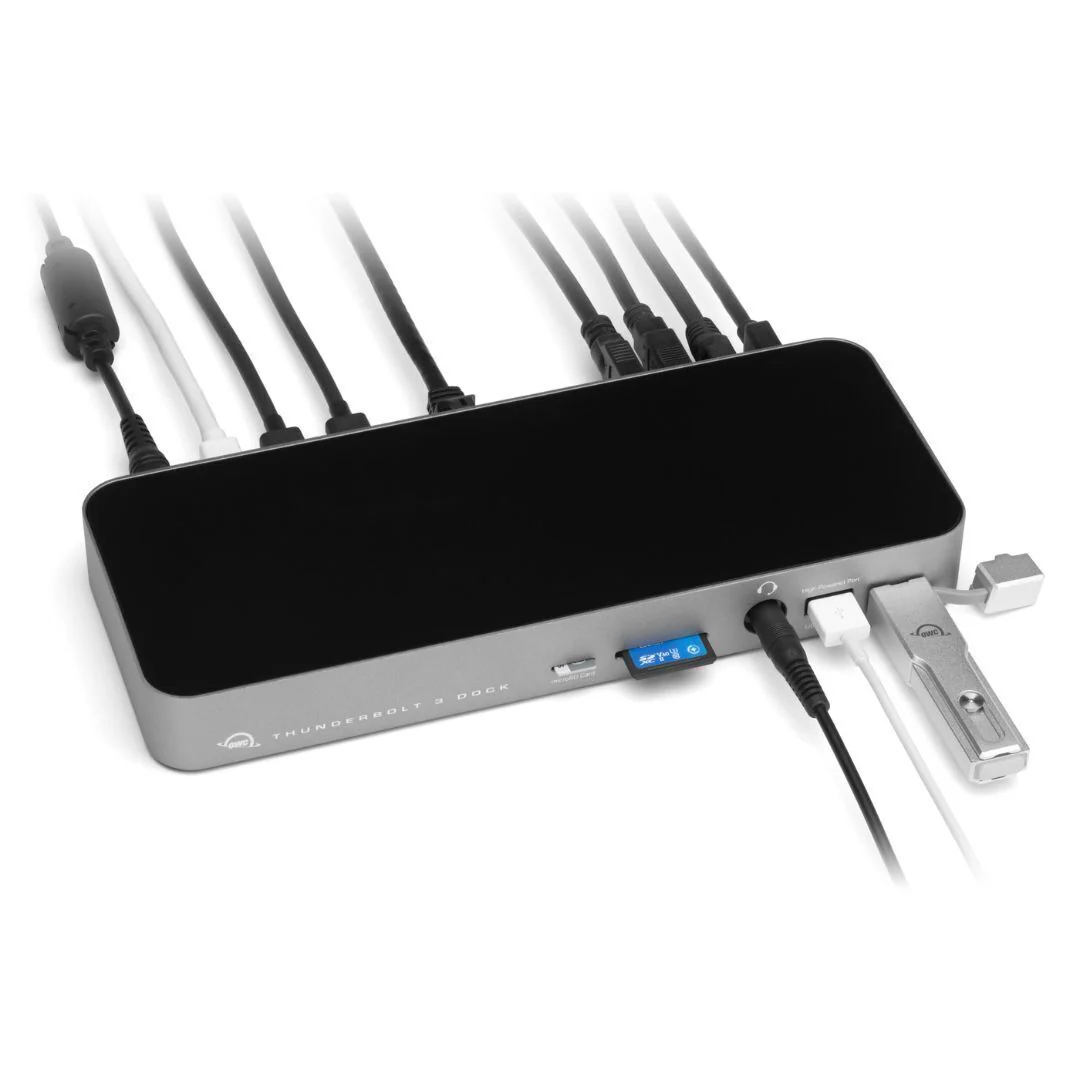
With its 14 ports of connectivity thoughtfully placed, the OWC 14-Port
Thunderbolt Dock delivers convenience while keeping desktops clutter-free. The
dock’s front is designed for the easy connection of your portable devices,
headphones, and media cards, while the rear features a multitude of ports for
your static devices so cables stay out of sight.
Power to The Ports
Leave your power adapters in your bag. The OWC 14-Port Thunderbolt Dock
provides 85 watts of power to your computer via the Thunderbolt 3 connection
and has multiple, high-power USB ports to charge your mobile devices. The days
of searching for your power adapter are officially over.
Disconnect In One Click
OWC Dock Ejector safely disconnects all connected drives in a single click.
Designed by OWC hardware and software engineers, Dock Ejector ensures all data
is written before disconnection, saving time and protecting against data loss.
Use it to move quickly between workstations and get the most out of your
14-Port Thunderbolt Dock.
Thoughtful Design - Inside and Out
Carefully chosen ports and functionality bring a new world of possibilities
to your desktop, but OWC also worked to ensure the OWC 14-Port Thunderbolt Dock
is built to last. A seamless design wrapped in a single piece of aluminum
brings a rugged exterior to endure your day-to-day while maintaining a stylish
design that complements any workspace.
Daisy-chaining with Thunderbolt Devices
With the ability to run up to six devices per port, Thunderbolt ports
amplify your laptop or desktop with peripheral power. Learn the basics of
daisy-chaining Thunderbolt devices for maximum performance in this handy
infographic.
OWC Thunderbolt 3 Cables
A Thunderbolt 3 cable is included with the OWC 14-Port Thunderbolt Dock,
but if your workflow demands a longer cable to make the connection, OWC Premium
Thunderbolt 3 (USB-C) Cables are the perfect choice.
Innergize Your Workflow with Highest Performance and Reliability
OWC Innergize is the first stage of the Capture to Completion ecosystem of
OWC products designed to seamlessly propel professional photographers,
videographers, and content creators to the highest level of workflow
performance and reliability. This OWC custom-designed app is a complete health,
performance, and field upgrade management tool when using OWC Atlas memory
cards with OWC Atlas readers and reader-equipped products.
Original: $279.99
-65%$279.99
$98.00More Images




OWC 14-Port Thunderbolt Dock with Dock Ejector for Thunderbolt 3 Windows Pcs or Mac (Space Gray)
Through a single cable, the OWC 14-Port Thunderbolt Dock
brings 14 ports, convenience, and power to your Thunderbolt 3-equipped Windows
PC or Mac.
Connect, Work, Disconnect, and Go
The days of only working at your desk are gone. OWC is always on the move
bouncing between the desks, meetings, and couches - often in a hurry. With a
single connection to your notebook computer, the OWC 14-Port Thunderbolt Dock
makes coming back to your desk to work and leaving your desk to run to a
meeting, a much quicker endeavor.
The Right Ports, Right Where You Need Them
With its 14 ports of connectivity thoughtfully placed, the OWC 14-Port
Thunderbolt Dock delivers convenience while keeping desktops clutter-free. The
dock’s front is designed for the easy connection of your portable devices,
headphones, and media cards, while the rear features a multitude of ports for
your static devices so cables stay out of sight.
Power to The Ports
Leave your power adapters in your bag. The OWC 14-Port Thunderbolt Dock
provides 85 watts of power to your computer via the Thunderbolt 3 connection
and has multiple, high-power USB ports to charge your mobile devices. The days
of searching for your power adapter are officially over.
Disconnect In One Click
OWC Dock Ejector safely disconnects all connected drives in a single click.
Designed by OWC hardware and software engineers, Dock Ejector ensures all data
is written before disconnection, saving time and protecting against data loss.
Use it to move quickly between workstations and get the most out of your
14-Port Thunderbolt Dock.
Thoughtful Design - Inside and Out
Carefully chosen ports and functionality bring a new world of possibilities
to your desktop, but OWC also worked to ensure the OWC 14-Port Thunderbolt Dock
is built to last. A seamless design wrapped in a single piece of aluminum
brings a rugged exterior to endure your day-to-day while maintaining a stylish
design that complements any workspace.
Daisy-chaining with Thunderbolt Devices
With the ability to run up to six devices per port, Thunderbolt ports
amplify your laptop or desktop with peripheral power. Learn the basics of
daisy-chaining Thunderbolt devices for maximum performance in this handy
infographic.
OWC Thunderbolt 3 Cables
A Thunderbolt 3 cable is included with the OWC 14-Port Thunderbolt Dock,
but if your workflow demands a longer cable to make the connection, OWC Premium
Thunderbolt 3 (USB-C) Cables are the perfect choice.
Innergize Your Workflow with Highest Performance and Reliability
OWC Innergize is the first stage of the Capture to Completion ecosystem of
OWC products designed to seamlessly propel professional photographers,
videographers, and content creators to the highest level of workflow
performance and reliability. This OWC custom-designed app is a complete health,
performance, and field upgrade management tool when using OWC Atlas memory
cards with OWC Atlas readers and reader-equipped products.
Product Information
Product Information
Shipping & Returns
Shipping & Returns
Description
Through a single cable, the OWC 14-Port Thunderbolt Dock
brings 14 ports, convenience, and power to your Thunderbolt 3-equipped Windows
PC or Mac.
Connect, Work, Disconnect, and Go
The days of only working at your desk are gone. OWC is always on the move
bouncing between the desks, meetings, and couches - often in a hurry. With a
single connection to your notebook computer, the OWC 14-Port Thunderbolt Dock
makes coming back to your desk to work and leaving your desk to run to a
meeting, a much quicker endeavor.
The Right Ports, Right Where You Need Them
With its 14 ports of connectivity thoughtfully placed, the OWC 14-Port
Thunderbolt Dock delivers convenience while keeping desktops clutter-free. The
dock’s front is designed for the easy connection of your portable devices,
headphones, and media cards, while the rear features a multitude of ports for
your static devices so cables stay out of sight.
Power to The Ports
Leave your power adapters in your bag. The OWC 14-Port Thunderbolt Dock
provides 85 watts of power to your computer via the Thunderbolt 3 connection
and has multiple, high-power USB ports to charge your mobile devices. The days
of searching for your power adapter are officially over.
Disconnect In One Click
OWC Dock Ejector safely disconnects all connected drives in a single click.
Designed by OWC hardware and software engineers, Dock Ejector ensures all data
is written before disconnection, saving time and protecting against data loss.
Use it to move quickly between workstations and get the most out of your
14-Port Thunderbolt Dock.
Thoughtful Design - Inside and Out
Carefully chosen ports and functionality bring a new world of possibilities
to your desktop, but OWC also worked to ensure the OWC 14-Port Thunderbolt Dock
is built to last. A seamless design wrapped in a single piece of aluminum
brings a rugged exterior to endure your day-to-day while maintaining a stylish
design that complements any workspace.
Daisy-chaining with Thunderbolt Devices
With the ability to run up to six devices per port, Thunderbolt ports
amplify your laptop or desktop with peripheral power. Learn the basics of
daisy-chaining Thunderbolt devices for maximum performance in this handy
infographic.
OWC Thunderbolt 3 Cables
A Thunderbolt 3 cable is included with the OWC 14-Port Thunderbolt Dock,
but if your workflow demands a longer cable to make the connection, OWC Premium
Thunderbolt 3 (USB-C) Cables are the perfect choice.
Innergize Your Workflow with Highest Performance and Reliability
OWC Innergize is the first stage of the Capture to Completion ecosystem of
OWC products designed to seamlessly propel professional photographers,
videographers, and content creators to the highest level of workflow
performance and reliability. This OWC custom-designed app is a complete health,
performance, and field upgrade management tool when using OWC Atlas memory
cards with OWC Atlas readers and reader-equipped products.