✨ New Arrivals Just Dropped!Explore


HomeStore
OBSBOT Meet 4K Ultra HD AI Virtual Background Webcam with Dual Omni-Directional Microphone (Black)
OBSBOT Meet 4K Ultra HD AI Virtual Background Webcam with Dual Omni-Directional Microphone (Black)
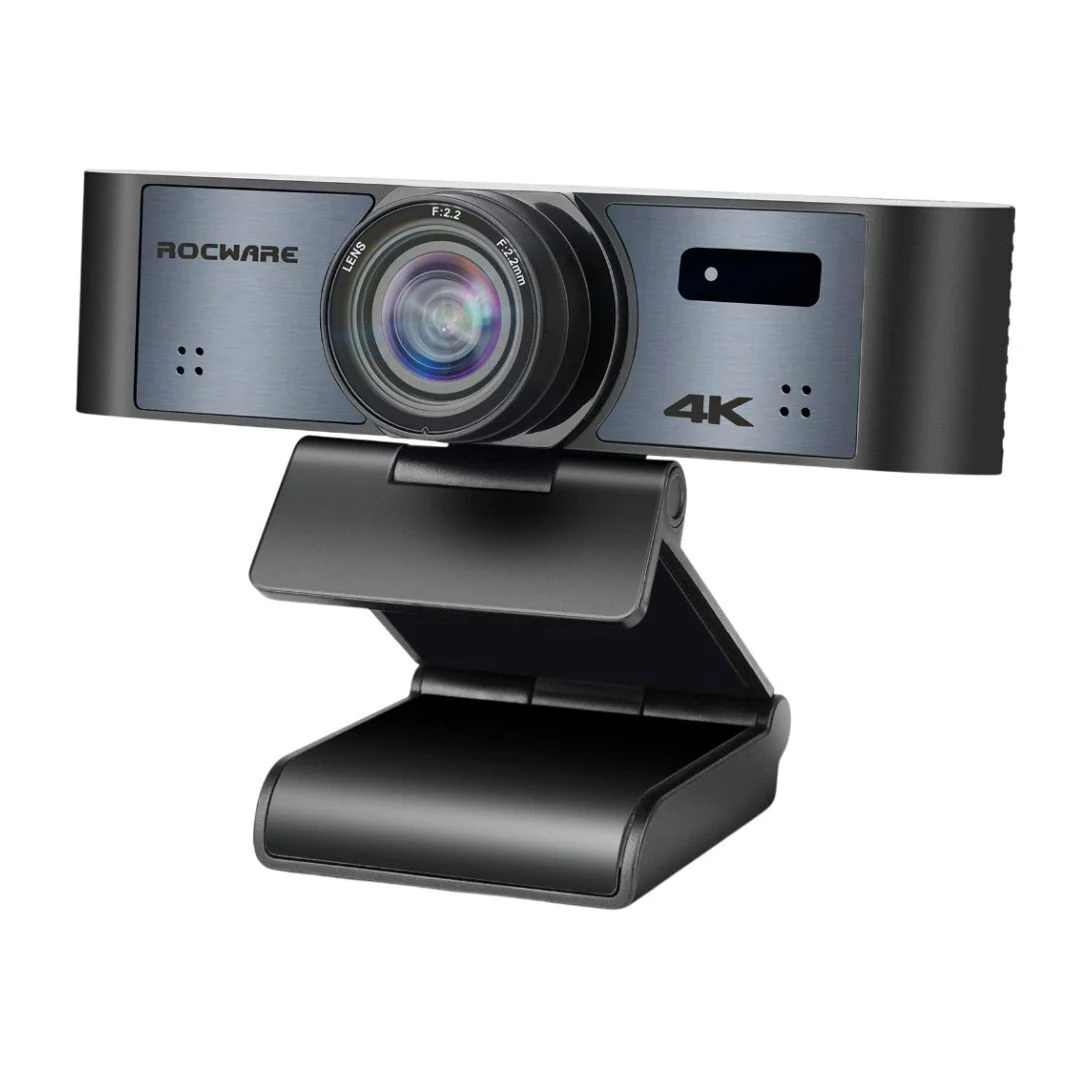
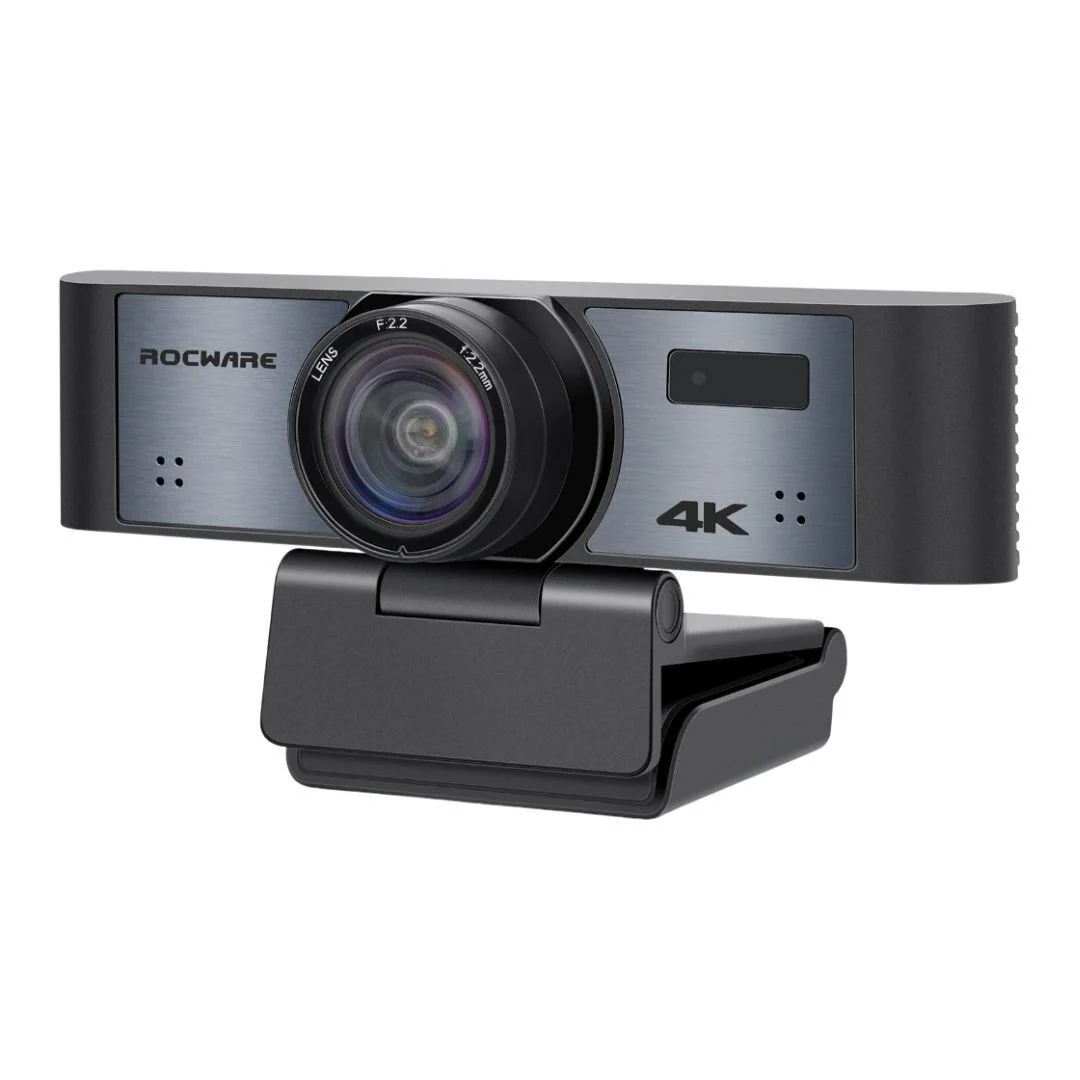
OBSBOT Meet AI-powered 4K Webcam in Black comes with powerful Auto-framing and Auto Tracking feature that allows you to explore the uncharted territory of video calls. Enjoy the fabulous experience it brings.
Millions of Pixels Behind Every Frame
Integrated with the Sony 1/2.8-inch sensor, the OBSBOT Meet 4K pc camera is able to capture vivid details and crystal-clear images, even in low light environments. With a field of view of up to 86 degrees, you can see more and see wider.
Ultra-High Definition Resolution
Up to 3840 x 2160 with 30 fps and 1920 x 1080 with 60fps ULTRA HD video capture support, the OBSBOT Meet series cameras for pc deliver you a super clear and fluid video image, making your motion smooth and delightful.
Keep a Perfect View of ‘YOU’
Benefiting from the ULTRA-wide FOV camera and advanced AI algorithm, the AI Auto-framing feature can be well settled to fit the way you have the extraordinary video call experience, not only for the single person but also the multiple-person situations.
Single Mode - Landscape Close-up Mode
The AI Auto-framing feature offers you a more accurate video call experience. It's defaulted in the Landscape Close-up mode, in which the image will auto-track your face and adjust accurately for your actual situation.
Single Mode - Landscape Upper Body Mode
Under the Landscape Upper Body mode, the image will change the target from your face to your upper body, offering you a natural ratio to help you do a presentation during the video call.
Group Mode - Keep Everyone Together
When activating the AI Auto-framing feature, anyone else who joins in or leaves out the image, the view will synchronously expand or zoom out to cover all the participants properly. Always focus and keep you on the right amount of the view in the Group mode.
Portrait Mode
The automatic rotation feature can only be used in software that supports it, such as the OBS, etc. Some other software require manual rotation. Activate the Portrait mode under the AI Auto-framing feature, then the pc camera will make calculations in real-time to fit your body position and always keep the perfect ratio of you. Unlock your imagination, and start streaming on the most trending social platforms.
Taps Bring Benefits
Control the powerful AI Auto-framing feature with only slight taps. No Extra App Required.
You Tell Story, OBSBOT Keep Focus
Empowered by the OBSBOT AI technology, the Auto Focus feature on the OBSBOT Meet series computer webcams will always keep the focus on the middle of the image.
Clear Contour, Real Shadow, Natural Light
The HDR on the OBSBOT Meet series webcam for pc brings balanced light, real shadow, and clear contour, with the finesses highlight and the Auto-exposure. Your video images would look amazing in every background and in any light.
Dual Omni-Directional Microphone with Noise Reduction
The outstanding microphone component makes your conversation sound clear and natural with the OBSBOT Meet series computer camera.
Empower Your Video Calls
Say hello to the Virtual Background features and use them for a faster and more comfortable video call experience. OBSBOT Meet series pc web camera doesn't support virtual background when 1080p at 60fps. After turning on the Virtual Background features, the frame rate of the video image will be reduced a bit.
Blurred Background Focus on You, Bokeh Behind
Benefiting from the built-in AI chip, the OBSBOT Meet pc camera can calculate your movement in real time and put the background into the blurred effect.
Background Replacement
Customize Your Video Call Background. Upload one of your favorite pictures into the OBSBOT Meet webcam, and with only one click on the device, you can enjoy your video call background during your meetings.
Millions of Pixels Behind Every Frame
Integrated with the Sony 1/2.8-inch sensor, the OBSBOT Meet 4K pc camera is able to capture vivid details and crystal-clear images, even in low light environments. With a field of view of up to 86 degrees, you can see more and see wider.
Ultra-High Definition Resolution
Up to 3840 x 2160 with 30 fps and 1920 x 1080 with 60fps ULTRA HD video capture support, the OBSBOT Meet series cameras for pc deliver you a super clear and fluid video image, making your motion smooth and delightful.
Keep a Perfect View of ‘YOU’
Benefiting from the ULTRA-wide FOV camera and advanced AI algorithm, the AI Auto-framing feature can be well settled to fit the way you have the extraordinary video call experience, not only for the single person but also the multiple-person situations.
Single Mode - Landscape Close-up Mode
The AI Auto-framing feature offers you a more accurate video call experience. It's defaulted in the Landscape Close-up mode, in which the image will auto-track your face and adjust accurately for your actual situation.
Single Mode - Landscape Upper Body Mode
Under the Landscape Upper Body mode, the image will change the target from your face to your upper body, offering you a natural ratio to help you do a presentation during the video call.
Group Mode - Keep Everyone Together
When activating the AI Auto-framing feature, anyone else who joins in or leaves out the image, the view will synchronously expand or zoom out to cover all the participants properly. Always focus and keep you on the right amount of the view in the Group mode.
Portrait Mode
The automatic rotation feature can only be used in software that supports it, such as the OBS, etc. Some other software require manual rotation. Activate the Portrait mode under the AI Auto-framing feature, then the pc camera will make calculations in real-time to fit your body position and always keep the perfect ratio of you. Unlock your imagination, and start streaming on the most trending social platforms.
Taps Bring Benefits
Control the powerful AI Auto-framing feature with only slight taps. No Extra App Required.
You Tell Story, OBSBOT Keep Focus
Empowered by the OBSBOT AI technology, the Auto Focus feature on the OBSBOT Meet series computer webcams will always keep the focus on the middle of the image.
Clear Contour, Real Shadow, Natural Light
The HDR on the OBSBOT Meet series webcam for pc brings balanced light, real shadow, and clear contour, with the finesses highlight and the Auto-exposure. Your video images would look amazing in every background and in any light.
Dual Omni-Directional Microphone with Noise Reduction
The outstanding microphone component makes your conversation sound clear and natural with the OBSBOT Meet series computer camera.
Empower Your Video Calls
Say hello to the Virtual Background features and use them for a faster and more comfortable video call experience. OBSBOT Meet series pc web camera doesn't support virtual background when 1080p at 60fps. After turning on the Virtual Background features, the frame rate of the video image will be reduced a bit.
Blurred Background Focus on You, Bokeh Behind
Benefiting from the built-in AI chip, the OBSBOT Meet pc camera can calculate your movement in real time and put the background into the blurred effect.
Background Replacement
Customize Your Video Call Background. Upload one of your favorite pictures into the OBSBOT Meet webcam, and with only one click on the device, you can enjoy your video call background during your meetings.
$149.00
OBSBOT Meet 4K Ultra HD AI Virtual Background Webcam with Dual Omni-Directional Microphone (Black)—
$149.00
More Images


OBSBOT Meet 4K Ultra HD AI Virtual Background Webcam with Dual Omni-Directional Microphone (Black)
OBSBOT Meet AI-powered 4K Webcam in Black comes with powerful Auto-framing and Auto Tracking feature that allows you to explore the uncharted territory of video calls. Enjoy the fabulous experience it brings.
Millions of Pixels Behind Every Frame
Integrated with the Sony 1/2.8-inch sensor, the OBSBOT Meet 4K pc camera is able to capture vivid details and crystal-clear images, even in low light environments. With a field of view of up to 86 degrees, you can see more and see wider.
Ultra-High Definition Resolution
Up to 3840 x 2160 with 30 fps and 1920 x 1080 with 60fps ULTRA HD video capture support, the OBSBOT Meet series cameras for pc deliver you a super clear and fluid video image, making your motion smooth and delightful.
Keep a Perfect View of ‘YOU’
Benefiting from the ULTRA-wide FOV camera and advanced AI algorithm, the AI Auto-framing feature can be well settled to fit the way you have the extraordinary video call experience, not only for the single person but also the multiple-person situations.
Single Mode - Landscape Close-up Mode
The AI Auto-framing feature offers you a more accurate video call experience. It's defaulted in the Landscape Close-up mode, in which the image will auto-track your face and adjust accurately for your actual situation.
Single Mode - Landscape Upper Body Mode
Under the Landscape Upper Body mode, the image will change the target from your face to your upper body, offering you a natural ratio to help you do a presentation during the video call.
Group Mode - Keep Everyone Together
When activating the AI Auto-framing feature, anyone else who joins in or leaves out the image, the view will synchronously expand or zoom out to cover all the participants properly. Always focus and keep you on the right amount of the view in the Group mode.
Portrait Mode
The automatic rotation feature can only be used in software that supports it, such as the OBS, etc. Some other software require manual rotation. Activate the Portrait mode under the AI Auto-framing feature, then the pc camera will make calculations in real-time to fit your body position and always keep the perfect ratio of you. Unlock your imagination, and start streaming on the most trending social platforms.
Taps Bring Benefits
Control the powerful AI Auto-framing feature with only slight taps. No Extra App Required.
You Tell Story, OBSBOT Keep Focus
Empowered by the OBSBOT AI technology, the Auto Focus feature on the OBSBOT Meet series computer webcams will always keep the focus on the middle of the image.
Clear Contour, Real Shadow, Natural Light
The HDR on the OBSBOT Meet series webcam for pc brings balanced light, real shadow, and clear contour, with the finesses highlight and the Auto-exposure. Your video images would look amazing in every background and in any light.
Dual Omni-Directional Microphone with Noise Reduction
The outstanding microphone component makes your conversation sound clear and natural with the OBSBOT Meet series computer camera.
Empower Your Video Calls
Say hello to the Virtual Background features and use them for a faster and more comfortable video call experience. OBSBOT Meet series pc web camera doesn't support virtual background when 1080p at 60fps. After turning on the Virtual Background features, the frame rate of the video image will be reduced a bit.
Blurred Background Focus on You, Bokeh Behind
Benefiting from the built-in AI chip, the OBSBOT Meet pc camera can calculate your movement in real time and put the background into the blurred effect.
Background Replacement
Customize Your Video Call Background. Upload one of your favorite pictures into the OBSBOT Meet webcam, and with only one click on the device, you can enjoy your video call background during your meetings.
Millions of Pixels Behind Every Frame
Integrated with the Sony 1/2.8-inch sensor, the OBSBOT Meet 4K pc camera is able to capture vivid details and crystal-clear images, even in low light environments. With a field of view of up to 86 degrees, you can see more and see wider.
Ultra-High Definition Resolution
Up to 3840 x 2160 with 30 fps and 1920 x 1080 with 60fps ULTRA HD video capture support, the OBSBOT Meet series cameras for pc deliver you a super clear and fluid video image, making your motion smooth and delightful.
Keep a Perfect View of ‘YOU’
Benefiting from the ULTRA-wide FOV camera and advanced AI algorithm, the AI Auto-framing feature can be well settled to fit the way you have the extraordinary video call experience, not only for the single person but also the multiple-person situations.
Single Mode - Landscape Close-up Mode
The AI Auto-framing feature offers you a more accurate video call experience. It's defaulted in the Landscape Close-up mode, in which the image will auto-track your face and adjust accurately for your actual situation.
Single Mode - Landscape Upper Body Mode
Under the Landscape Upper Body mode, the image will change the target from your face to your upper body, offering you a natural ratio to help you do a presentation during the video call.
Group Mode - Keep Everyone Together
When activating the AI Auto-framing feature, anyone else who joins in or leaves out the image, the view will synchronously expand or zoom out to cover all the participants properly. Always focus and keep you on the right amount of the view in the Group mode.
Portrait Mode
The automatic rotation feature can only be used in software that supports it, such as the OBS, etc. Some other software require manual rotation. Activate the Portrait mode under the AI Auto-framing feature, then the pc camera will make calculations in real-time to fit your body position and always keep the perfect ratio of you. Unlock your imagination, and start streaming on the most trending social platforms.
Taps Bring Benefits
Control the powerful AI Auto-framing feature with only slight taps. No Extra App Required.
You Tell Story, OBSBOT Keep Focus
Empowered by the OBSBOT AI technology, the Auto Focus feature on the OBSBOT Meet series computer webcams will always keep the focus on the middle of the image.
Clear Contour, Real Shadow, Natural Light
The HDR on the OBSBOT Meet series webcam for pc brings balanced light, real shadow, and clear contour, with the finesses highlight and the Auto-exposure. Your video images would look amazing in every background and in any light.
Dual Omni-Directional Microphone with Noise Reduction
The outstanding microphone component makes your conversation sound clear and natural with the OBSBOT Meet series computer camera.
Empower Your Video Calls
Say hello to the Virtual Background features and use them for a faster and more comfortable video call experience. OBSBOT Meet series pc web camera doesn't support virtual background when 1080p at 60fps. After turning on the Virtual Background features, the frame rate of the video image will be reduced a bit.
Blurred Background Focus on You, Bokeh Behind
Benefiting from the built-in AI chip, the OBSBOT Meet pc camera can calculate your movement in real time and put the background into the blurred effect.
Background Replacement
Customize Your Video Call Background. Upload one of your favorite pictures into the OBSBOT Meet webcam, and with only one click on the device, you can enjoy your video call background during your meetings.
Product Information
Product Information
Shipping & Returns
Shipping & Returns
Description
OBSBOT Meet AI-powered 4K Webcam in Black comes with powerful Auto-framing and Auto Tracking feature that allows you to explore the uncharted territory of video calls. Enjoy the fabulous experience it brings.
Millions of Pixels Behind Every Frame
Integrated with the Sony 1/2.8-inch sensor, the OBSBOT Meet 4K pc camera is able to capture vivid details and crystal-clear images, even in low light environments. With a field of view of up to 86 degrees, you can see more and see wider.
Ultra-High Definition Resolution
Up to 3840 x 2160 with 30 fps and 1920 x 1080 with 60fps ULTRA HD video capture support, the OBSBOT Meet series cameras for pc deliver you a super clear and fluid video image, making your motion smooth and delightful.
Keep a Perfect View of ‘YOU’
Benefiting from the ULTRA-wide FOV camera and advanced AI algorithm, the AI Auto-framing feature can be well settled to fit the way you have the extraordinary video call experience, not only for the single person but also the multiple-person situations.
Single Mode - Landscape Close-up Mode
The AI Auto-framing feature offers you a more accurate video call experience. It's defaulted in the Landscape Close-up mode, in which the image will auto-track your face and adjust accurately for your actual situation.
Single Mode - Landscape Upper Body Mode
Under the Landscape Upper Body mode, the image will change the target from your face to your upper body, offering you a natural ratio to help you do a presentation during the video call.
Group Mode - Keep Everyone Together
When activating the AI Auto-framing feature, anyone else who joins in or leaves out the image, the view will synchronously expand or zoom out to cover all the participants properly. Always focus and keep you on the right amount of the view in the Group mode.
Portrait Mode
The automatic rotation feature can only be used in software that supports it, such as the OBS, etc. Some other software require manual rotation. Activate the Portrait mode under the AI Auto-framing feature, then the pc camera will make calculations in real-time to fit your body position and always keep the perfect ratio of you. Unlock your imagination, and start streaming on the most trending social platforms.
Taps Bring Benefits
Control the powerful AI Auto-framing feature with only slight taps. No Extra App Required.
You Tell Story, OBSBOT Keep Focus
Empowered by the OBSBOT AI technology, the Auto Focus feature on the OBSBOT Meet series computer webcams will always keep the focus on the middle of the image.
Clear Contour, Real Shadow, Natural Light
The HDR on the OBSBOT Meet series webcam for pc brings balanced light, real shadow, and clear contour, with the finesses highlight and the Auto-exposure. Your video images would look amazing in every background and in any light.
Dual Omni-Directional Microphone with Noise Reduction
The outstanding microphone component makes your conversation sound clear and natural with the OBSBOT Meet series computer camera.
Empower Your Video Calls
Say hello to the Virtual Background features and use them for a faster and more comfortable video call experience. OBSBOT Meet series pc web camera doesn't support virtual background when 1080p at 60fps. After turning on the Virtual Background features, the frame rate of the video image will be reduced a bit.
Blurred Background Focus on You, Bokeh Behind
Benefiting from the built-in AI chip, the OBSBOT Meet pc camera can calculate your movement in real time and put the background into the blurred effect.
Background Replacement
Customize Your Video Call Background. Upload one of your favorite pictures into the OBSBOT Meet webcam, and with only one click on the device, you can enjoy your video call background during your meetings.
Millions of Pixels Behind Every Frame
Integrated with the Sony 1/2.8-inch sensor, the OBSBOT Meet 4K pc camera is able to capture vivid details and crystal-clear images, even in low light environments. With a field of view of up to 86 degrees, you can see more and see wider.
Ultra-High Definition Resolution
Up to 3840 x 2160 with 30 fps and 1920 x 1080 with 60fps ULTRA HD video capture support, the OBSBOT Meet series cameras for pc deliver you a super clear and fluid video image, making your motion smooth and delightful.
Keep a Perfect View of ‘YOU’
Benefiting from the ULTRA-wide FOV camera and advanced AI algorithm, the AI Auto-framing feature can be well settled to fit the way you have the extraordinary video call experience, not only for the single person but also the multiple-person situations.
Single Mode - Landscape Close-up Mode
The AI Auto-framing feature offers you a more accurate video call experience. It's defaulted in the Landscape Close-up mode, in which the image will auto-track your face and adjust accurately for your actual situation.
Single Mode - Landscape Upper Body Mode
Under the Landscape Upper Body mode, the image will change the target from your face to your upper body, offering you a natural ratio to help you do a presentation during the video call.
Group Mode - Keep Everyone Together
When activating the AI Auto-framing feature, anyone else who joins in or leaves out the image, the view will synchronously expand or zoom out to cover all the participants properly. Always focus and keep you on the right amount of the view in the Group mode.
Portrait Mode
The automatic rotation feature can only be used in software that supports it, such as the OBS, etc. Some other software require manual rotation. Activate the Portrait mode under the AI Auto-framing feature, then the pc camera will make calculations in real-time to fit your body position and always keep the perfect ratio of you. Unlock your imagination, and start streaming on the most trending social platforms.
Taps Bring Benefits
Control the powerful AI Auto-framing feature with only slight taps. No Extra App Required.
You Tell Story, OBSBOT Keep Focus
Empowered by the OBSBOT AI technology, the Auto Focus feature on the OBSBOT Meet series computer webcams will always keep the focus on the middle of the image.
Clear Contour, Real Shadow, Natural Light
The HDR on the OBSBOT Meet series webcam for pc brings balanced light, real shadow, and clear contour, with the finesses highlight and the Auto-exposure. Your video images would look amazing in every background and in any light.
Dual Omni-Directional Microphone with Noise Reduction
The outstanding microphone component makes your conversation sound clear and natural with the OBSBOT Meet series computer camera.
Empower Your Video Calls
Say hello to the Virtual Background features and use them for a faster and more comfortable video call experience. OBSBOT Meet series pc web camera doesn't support virtual background when 1080p at 60fps. After turning on the Virtual Background features, the frame rate of the video image will be reduced a bit.
Blurred Background Focus on You, Bokeh Behind
Benefiting from the built-in AI chip, the OBSBOT Meet pc camera can calculate your movement in real time and put the background into the blurred effect.
Background Replacement
Customize Your Video Call Background. Upload one of your favorite pictures into the OBSBOT Meet webcam, and with only one click on the device, you can enjoy your video call background during your meetings.