Dell P2424HT 24-Inch Multi-Touch FHD 16:9 IPS Display Monitor with USB-C Hub
Dell P2424HT 24-Inch Multi-Touch FHD 16:9 IPS Display Monitor with USB-C Hub and Adjustable Stand
Intuitive Multi-Touch Experience
The Dell P2424HT 24-Inch Monitor delivers a natural and responsive interaction with up to 10-point touch functionality. Tap, swipe, slide, and pinch directly on the screen to annotate documents or navigate applications with ease. The edge-to-edge display ensures a seamless and intuitive user experience.
Effortless Connectivity and Power
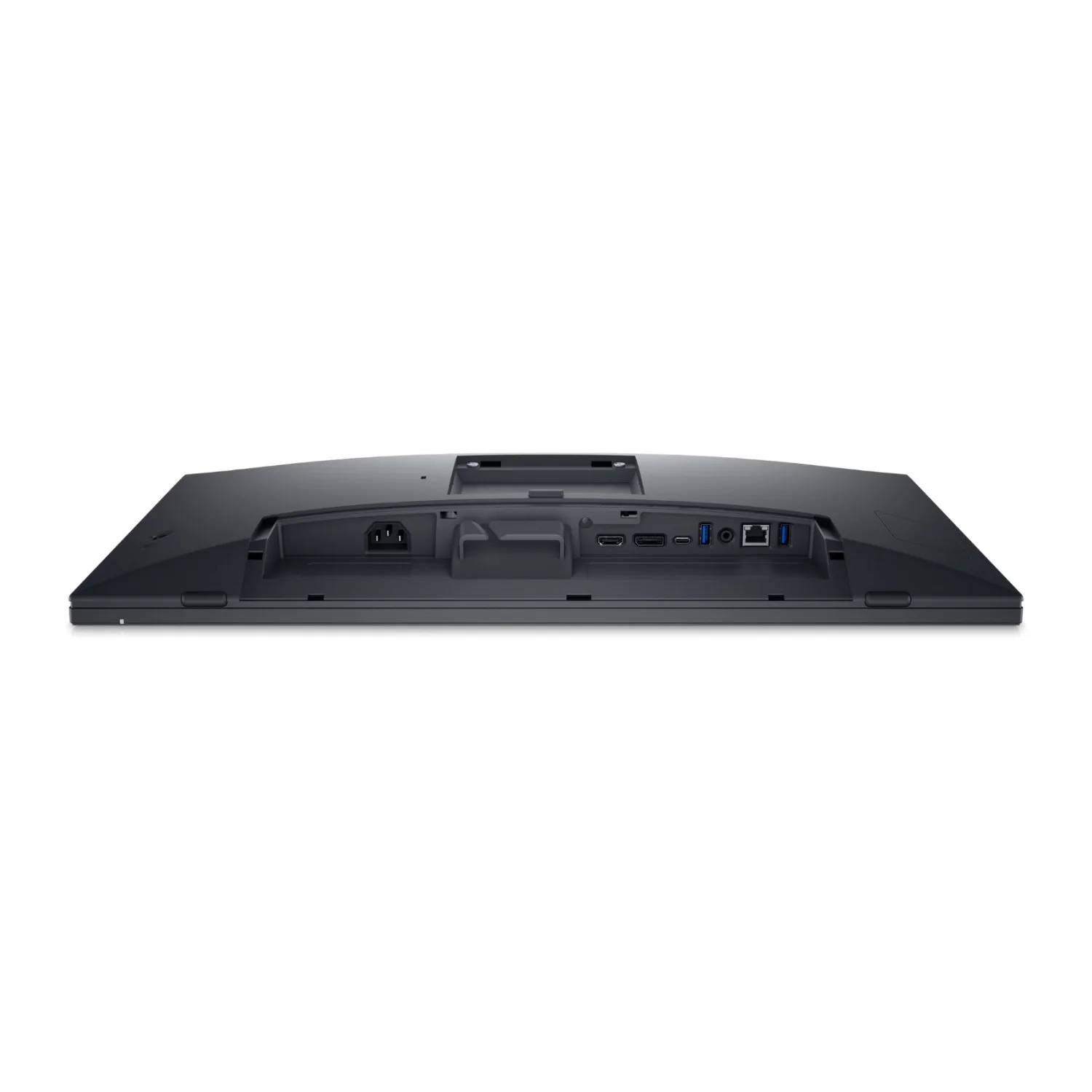
Enjoy a clutter-free setup with single-cable USB-C connectivity that supports up to 90W of power delivery. The monitor also features quick-access USB ports that can be conveniently covered when not in use, maintaining a clean and professional workspace.
Comfortable and Adjustable Design
The articulating stand offers full tilt, swivel, slant, and height adjustments—up to 110 mm—without interfering with cable flow. Cushions on the monitor’s base provide added protection against bumps. Whether seated or standing, the monitor adjusts easily to fit your preferred working position.
Vibrant Visuals with Wide Viewing Angles
With Full HD resolution (1920 x 1080), a 16:9 aspect ratio, and IPS technology, this display brings your content to life in vivid detail and color consistency across wide angles. The ultra-thin three-sided bezel creates an immersive viewing experience, complemented by a built-in 3W top-firing speaker for clear audio.
Always-On Eye Comfort
Includes ComfortView Plus, an always-on, low blue light screen that reduces harmful emissions without sacrificing color accuracy. The anti-glare surface ensures clarity even in bright environments, making long work sessions more comfortable for your eyes.
Smarter Workspace Management
Dell Display and Peripheral Manager optimizes your workflow with features like Easy Arrange, which tiles applications into pre-set or custom layouts across screens. Easy Arrange Memory restores your layout preferences, either manually or on schedule. You can also automate brightness and contrast settings to match your work hours for day and night comfort.
More Images



Dell P2424HT 24-Inch Multi-Touch FHD 16:9 IPS Display Monitor with USB-C Hub
Dell P2424HT 24-Inch Multi-Touch FHD 16:9 IPS Display Monitor with USB-C Hub and Adjustable Stand
Intuitive Multi-Touch Experience
The Dell P2424HT 24-Inch Monitor delivers a natural and responsive interaction with up to 10-point touch functionality. Tap, swipe, slide, and pinch directly on the screen to annotate documents or navigate applications with ease. The edge-to-edge display ensures a seamless and intuitive user experience.
Effortless Connectivity and Power
Enjoy a clutter-free setup with single-cable USB-C connectivity that supports up to 90W of power delivery. The monitor also features quick-access USB ports that can be conveniently covered when not in use, maintaining a clean and professional workspace.
Comfortable and Adjustable Design
The articulating stand offers full tilt, swivel, slant, and height adjustments—up to 110 mm—without interfering with cable flow. Cushions on the monitor’s base provide added protection against bumps. Whether seated or standing, the monitor adjusts easily to fit your preferred working position.
Vibrant Visuals with Wide Viewing Angles
With Full HD resolution (1920 x 1080), a 16:9 aspect ratio, and IPS technology, this display brings your content to life in vivid detail and color consistency across wide angles. The ultra-thin three-sided bezel creates an immersive viewing experience, complemented by a built-in 3W top-firing speaker for clear audio.
Always-On Eye Comfort
Includes ComfortView Plus, an always-on, low blue light screen that reduces harmful emissions without sacrificing color accuracy. The anti-glare surface ensures clarity even in bright environments, making long work sessions more comfortable for your eyes.
Smarter Workspace Management
Dell Display and Peripheral Manager optimizes your workflow with features like Easy Arrange, which tiles applications into pre-set or custom layouts across screens. Easy Arrange Memory restores your layout preferences, either manually or on schedule. You can also automate brightness and contrast settings to match your work hours for day and night comfort.
Product Information
Product Information
Shipping & Returns
Shipping & Returns
Description
Dell P2424HT 24-Inch Multi-Touch FHD 16:9 IPS Display Monitor with USB-C Hub and Adjustable Stand
Intuitive Multi-Touch Experience
The Dell P2424HT 24-Inch Monitor delivers a natural and responsive interaction with up to 10-point touch functionality. Tap, swipe, slide, and pinch directly on the screen to annotate documents or navigate applications with ease. The edge-to-edge display ensures a seamless and intuitive user experience.
Effortless Connectivity and Power
Enjoy a clutter-free setup with single-cable USB-C connectivity that supports up to 90W of power delivery. The monitor also features quick-access USB ports that can be conveniently covered when not in use, maintaining a clean and professional workspace.
Comfortable and Adjustable Design
The articulating stand offers full tilt, swivel, slant, and height adjustments—up to 110 mm—without interfering with cable flow. Cushions on the monitor’s base provide added protection against bumps. Whether seated or standing, the monitor adjusts easily to fit your preferred working position.
Vibrant Visuals with Wide Viewing Angles
With Full HD resolution (1920 x 1080), a 16:9 aspect ratio, and IPS technology, this display brings your content to life in vivid detail and color consistency across wide angles. The ultra-thin three-sided bezel creates an immersive viewing experience, complemented by a built-in 3W top-firing speaker for clear audio.
Always-On Eye Comfort
Includes ComfortView Plus, an always-on, low blue light screen that reduces harmful emissions without sacrificing color accuracy. The anti-glare surface ensures clarity even in bright environments, making long work sessions more comfortable for your eyes.
Smarter Workspace Management
Dell Display and Peripheral Manager optimizes your workflow with features like Easy Arrange, which tiles applications into pre-set or custom layouts across screens. Easy Arrange Memory restores your layout preferences, either manually or on schedule. You can also automate brightness and contrast settings to match your work hours for day and night comfort.