Cozyla 15.6-Inch 1080p Digital Calendar+ 2 Wall Planner Touch Screen
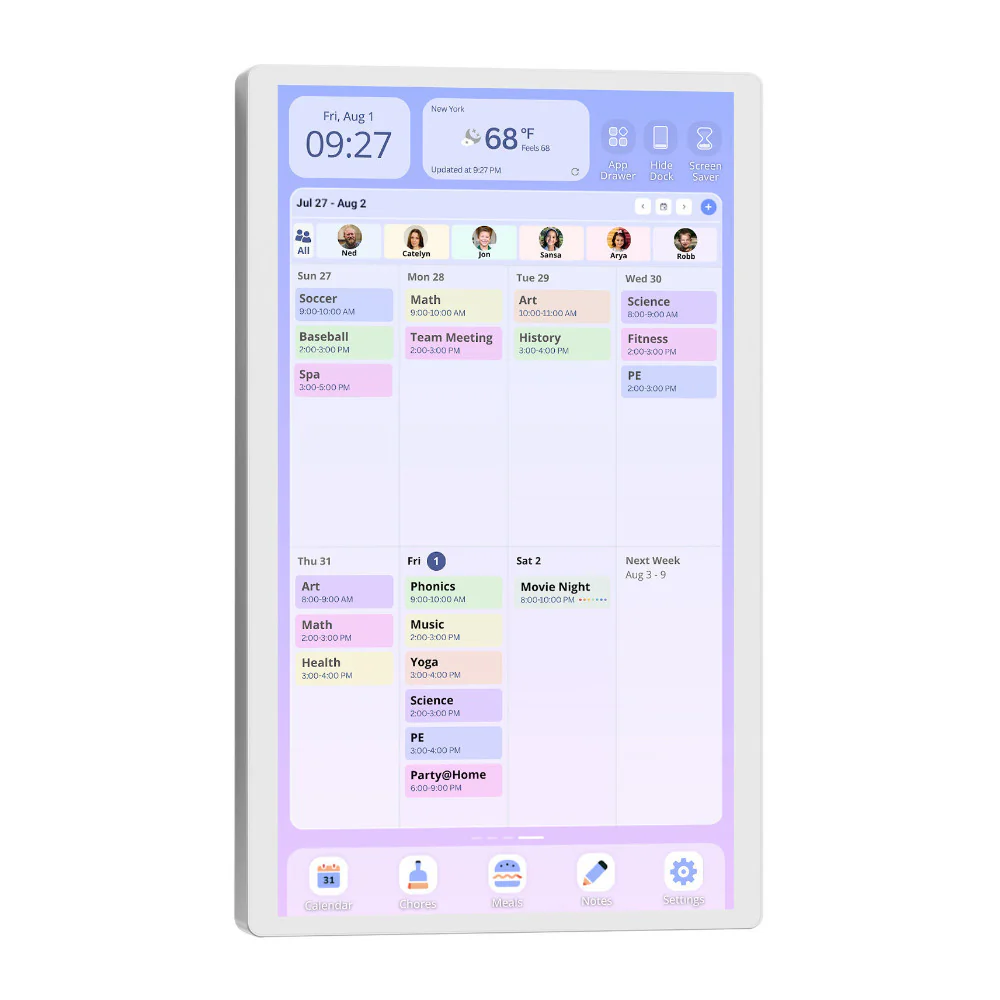
Better than leaving notes on the fridge, the 15.6-Inch 1080p Calendar+ 2 from Cozyla lets you access your family's everyday tasks in one place. The display can be used on a tabletop with the included stand or mounted to a wall, offering a customized Android OS that lets everyone create one or more customizable dashboards, each with resizable and repositionable widgets. Widgets like calendars, to-do lists, weather, meal plans, chores, and more. To keep everyone on the same page, two-way auto-syncing to Apple, Google, and Outlook calendars is supported. Beyond daily productivity, Calendar+ 2 can also manage your smart home and entertain, just like a regular TV. This second-generation model does all of this and now offers touch-to-wake to the touchscreen; it sits more flush on your wall and offers upgraded built-in apps.
Family Organization
Create a dashboard, or two, or more, and populate it with app-based drag-and-drop widgets to organize your family's life. Create calendars, to-do lists, weather notifications, meal plans, chore lists, and more. These widgets can be moved and resized within the dashboard. With Wi-Fi access, you can go to the built-in app store to add even more. Some can even be interactive, such as meal plans, which can include links to video tutorials and recipes, or to-do lists that can utilize two-way auto sync with popular calendars from Google, Apple, and Outlook. Thanks to two-way sync, you can view Calendar+ 2 entries away from home on your phone or tablet.
Streaming TV and Music
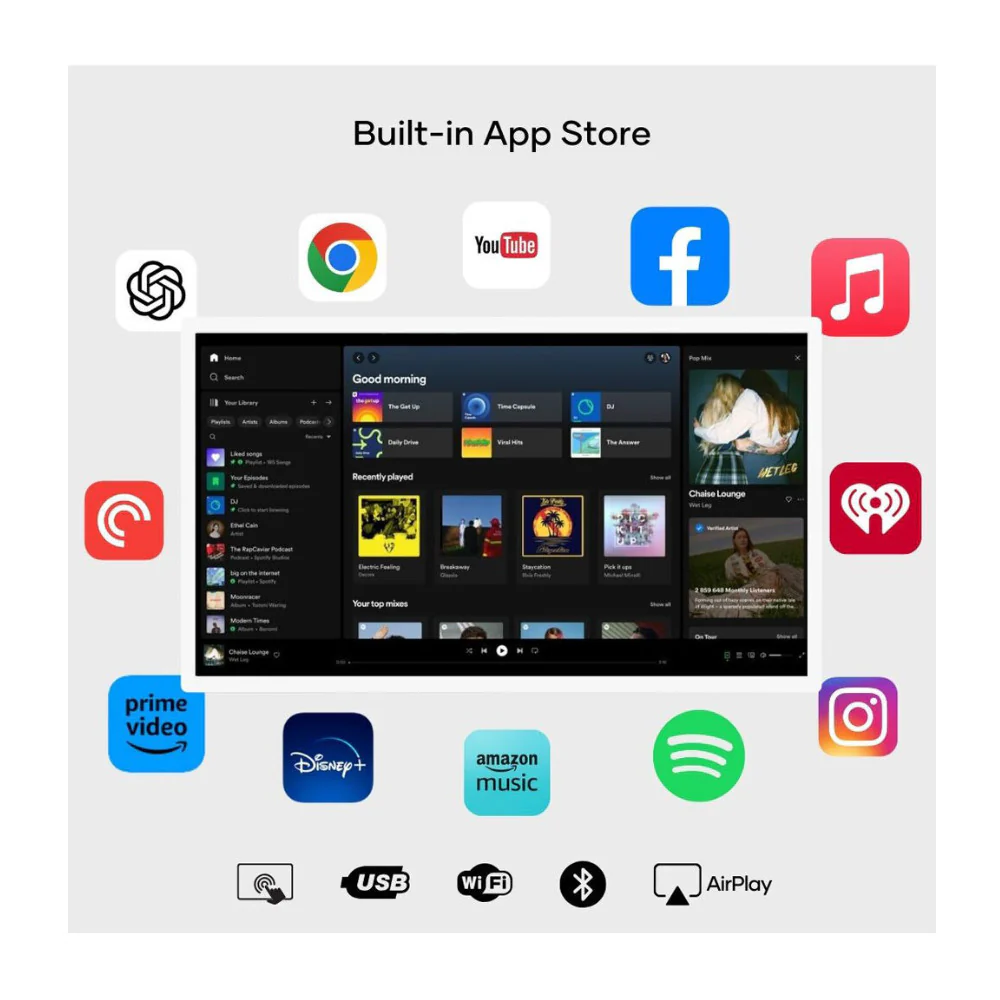
With an included rotating wall mount and built-in stereo speakers, you can use the Calendar+ 2 for watching TV and playing music. Stream from popular apps, such as Netflix, YouTube, and TikTok, or add your own content. Hook up a Blu-ray player or game console via HDMI, mirror your mobile devices using Bluetooth, or plug in a USB drive to enjoy personal files.
Smart Home Hub
Calendar+ 2 gives you unified control over your smart home devices with a tap or voice command to Google Assistant. You have access to Google Home, Home Assistant, SmartThings, and more.
Digital Picture Frame
When not in use, you can add your family photo album to turn the Calendar+ 2 into a digital photo frame. A screensaver mode automatically kicks in when the Calendar+ 2 is inactive for a period of time.
Split Screen Mode
In this mode, you can view two windows at once, each with different content. So, you can review your appointments on a calendar in one half of the screen while the other shows a live feed from a baby monitor.
Additional Details
- Day or month calendar views
- Sleep Mode with on/off scheduling
- 2.0 versions of Parental Controls, Sleep Mode and Screensaver apps
- Customizable backgrounds
- Chrome web browser
- Built-in microphone
- Can be used in landscape or portrait orientation
- Wi-Fi 6 (802.11ax) and Bluetooth 5.0 connectivity
More Images


Cozyla 15.6-Inch 1080p Digital Calendar+ 2 Wall Planner Touch Screen
Better than leaving notes on the fridge, the 15.6-Inch 1080p Calendar+ 2 from Cozyla lets you access your family's everyday tasks in one place. The display can be used on a tabletop with the included stand or mounted to a wall, offering a customized Android OS that lets everyone create one or more customizable dashboards, each with resizable and repositionable widgets. Widgets like calendars, to-do lists, weather, meal plans, chores, and more. To keep everyone on the same page, two-way auto-syncing to Apple, Google, and Outlook calendars is supported. Beyond daily productivity, Calendar+ 2 can also manage your smart home and entertain, just like a regular TV. This second-generation model does all of this and now offers touch-to-wake to the touchscreen; it sits more flush on your wall and offers upgraded built-in apps.
Family Organization
Create a dashboard, or two, or more, and populate it with app-based drag-and-drop widgets to organize your family's life. Create calendars, to-do lists, weather notifications, meal plans, chore lists, and more. These widgets can be moved and resized within the dashboard. With Wi-Fi access, you can go to the built-in app store to add even more. Some can even be interactive, such as meal plans, which can include links to video tutorials and recipes, or to-do lists that can utilize two-way auto sync with popular calendars from Google, Apple, and Outlook. Thanks to two-way sync, you can view Calendar+ 2 entries away from home on your phone or tablet.
Streaming TV and Music
With an included rotating wall mount and built-in stereo speakers, you can use the Calendar+ 2 for watching TV and playing music. Stream from popular apps, such as Netflix, YouTube, and TikTok, or add your own content. Hook up a Blu-ray player or game console via HDMI, mirror your mobile devices using Bluetooth, or plug in a USB drive to enjoy personal files.
Smart Home Hub
Calendar+ 2 gives you unified control over your smart home devices with a tap or voice command to Google Assistant. You have access to Google Home, Home Assistant, SmartThings, and more.
Digital Picture Frame
When not in use, you can add your family photo album to turn the Calendar+ 2 into a digital photo frame. A screensaver mode automatically kicks in when the Calendar+ 2 is inactive for a period of time.
Split Screen Mode
In this mode, you can view two windows at once, each with different content. So, you can review your appointments on a calendar in one half of the screen while the other shows a live feed from a baby monitor.
Additional Details
- Day or month calendar views
- Sleep Mode with on/off scheduling
- 2.0 versions of Parental Controls, Sleep Mode and Screensaver apps
- Customizable backgrounds
- Chrome web browser
- Built-in microphone
- Can be used in landscape or portrait orientation
- Wi-Fi 6 (802.11ax) and Bluetooth 5.0 connectivity
Product Information
Product Information
Shipping & Returns
Shipping & Returns
Description
Better than leaving notes on the fridge, the 15.6-Inch 1080p Calendar+ 2 from Cozyla lets you access your family's everyday tasks in one place. The display can be used on a tabletop with the included stand or mounted to a wall, offering a customized Android OS that lets everyone create one or more customizable dashboards, each with resizable and repositionable widgets. Widgets like calendars, to-do lists, weather, meal plans, chores, and more. To keep everyone on the same page, two-way auto-syncing to Apple, Google, and Outlook calendars is supported. Beyond daily productivity, Calendar+ 2 can also manage your smart home and entertain, just like a regular TV. This second-generation model does all of this and now offers touch-to-wake to the touchscreen; it sits more flush on your wall and offers upgraded built-in apps.
Family Organization
Create a dashboard, or two, or more, and populate it with app-based drag-and-drop widgets to organize your family's life. Create calendars, to-do lists, weather notifications, meal plans, chore lists, and more. These widgets can be moved and resized within the dashboard. With Wi-Fi access, you can go to the built-in app store to add even more. Some can even be interactive, such as meal plans, which can include links to video tutorials and recipes, or to-do lists that can utilize two-way auto sync with popular calendars from Google, Apple, and Outlook. Thanks to two-way sync, you can view Calendar+ 2 entries away from home on your phone or tablet.
Streaming TV and Music
With an included rotating wall mount and built-in stereo speakers, you can use the Calendar+ 2 for watching TV and playing music. Stream from popular apps, such as Netflix, YouTube, and TikTok, or add your own content. Hook up a Blu-ray player or game console via HDMI, mirror your mobile devices using Bluetooth, or plug in a USB drive to enjoy personal files.
Smart Home Hub
Calendar+ 2 gives you unified control over your smart home devices with a tap or voice command to Google Assistant. You have access to Google Home, Home Assistant, SmartThings, and more.
Digital Picture Frame
When not in use, you can add your family photo album to turn the Calendar+ 2 into a digital photo frame. A screensaver mode automatically kicks in when the Calendar+ 2 is inactive for a period of time.
Split Screen Mode
In this mode, you can view two windows at once, each with different content. So, you can review your appointments on a calendar in one half of the screen while the other shows a live feed from a baby monitor.
Additional Details
- Day or month calendar views
- Sleep Mode with on/off scheduling
- 2.0 versions of Parental Controls, Sleep Mode and Screensaver apps
- Customizable backgrounds
- Chrome web browser
- Built-in microphone
- Can be used in landscape or portrait orientation
- Wi-Fi 6 (802.11ax) and Bluetooth 5.0 connectivity