✨ New Arrivals Just Dropped!Explore

HomeStore
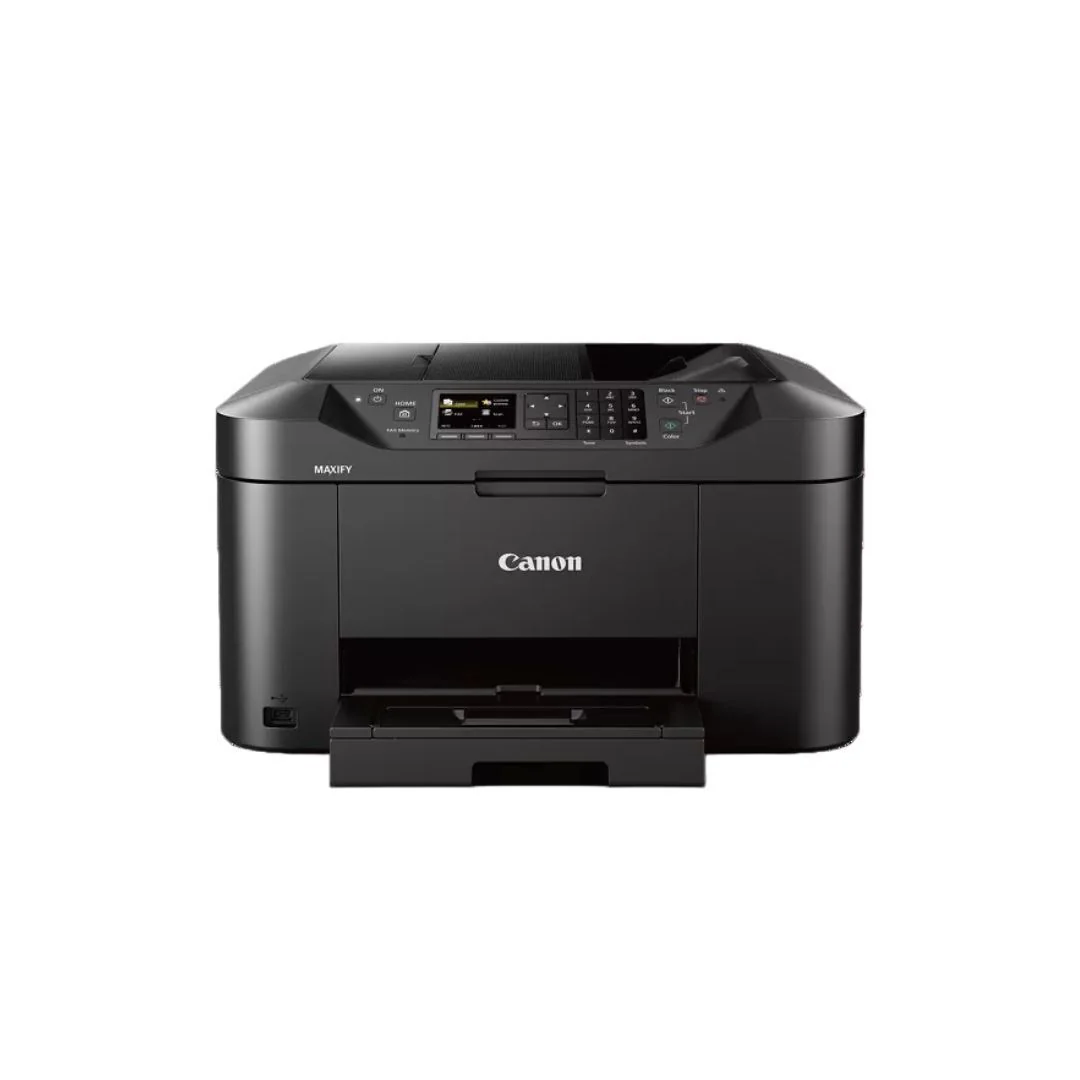
Canon MAXIFY MB2120 Wireless All-In-One Inkjet Printer for Print, Scan, Copy, and Fax (Black)
Canon MAXIFY MB2120 Wireless All-In-One Inkjet Printer for Print, Scan, Copy, and Fax (Black)
No matter what type of business you have, success is ultimately defined by the work that is done behind the scenes. You can work fast and smart with the Canon MAXIFY MB2120 Wireless Home Office All-In-One Printer, helping you to get through your workload. Specifically designed to help meet the needs of home-based businesses of 1 to 4 users, it delivers crisp, colorful prints of your business documents quickly, cost-effectively, and reliably. 2.5-inch LCD makes it easy to navigate menus, printer settings, and access cloud services.
Performance
The MAXIFY MB2120 printer boasts a quick first printout time of 6 seconds with print speeds up to 19.0 ipm (B and W)/13.0 ipm (Color). Built for big jobs, it has a large 250-sheet paper cassette and a 2000-page duty cycle. The efficient MAXIFY ink tanks deliver a high page yield from one set of ink and the Dual Resistant High Density (DRHD) ink system produces laser-sharp text that is smudge and highlighter-resistant.
Connectivity
The entire MAXIFY lineup features built-in Wi-Fi and is fully compatible with the Canon PRINT app. This makes it easy to share and print information directly from your tablet and smartphone via select popular Cloud services. You can also easily scan directly to your mobile device.
Productivity
The MAXIFY MB2120 offers a high page yield that can help save money by delivering a high volume of prints from one set of ink tanks. All MAXIFY printers are designed for efficiency; they offer a Low Cost per Print when using XL ink tanks. Always be ready to print in as little as 6 seconds from power on with Quick First Print. Built to handle the big jobs, the MAXIFY MB2120 features a large 250 Sheet paper cassette. With MAXIFY you can create custom profiles to make it easier to access your most used copy, scan, or fax settings, and with the job reservation feature, you can queue up multiple jobs - even when already printing.
Reliability
Print laser-sharp text that is highlighter and smudge-resistant with the Dual Resistant High Density (DRHD) Ink System. With a 20000-page Duty Cycle, the MAXIFY MB2120 is built to last for all your business needs. To help serve your business better, all MAXIFY printers feature 100 percent U.S.-based Service and Support, with a dedicated MAXIFY phone number.
Connectivity
Efficiently manage all the MAXIFY printers on your network with built-in standard Management Information Base (MIB) support. With MAXIFY you can print, copy, and scan from all your favorite devices; whether that is a smartphone, tablet, computer, or even the cloud.
Auto Power On and Off
Auto Power off saves you money by automatically powering down the printer after a set period of inactivity, and conveniently powers back on when any print job is detected.
Send to Network Folder
When keeping a paper copy is not necessary, you can choose to scan your digital files to network folders.
US Based Support
To help serve your business better, all MAXIFY printers feature 100 percent US-based Service and Support, with a dedicated MAXIFY phone number, email, and extended service hours.
$194.00
Canon MAXIFY MB2120 Wireless All-In-One Inkjet Printer for Print, Scan, Copy, and Fax (Black)—
$194.00
More Images


Canon MAXIFY MB2120 Wireless All-In-One Inkjet Printer for Print, Scan, Copy, and Fax (Black)
No matter what type of business you have, success is ultimately defined by the work that is done behind the scenes. You can work fast and smart with the Canon MAXIFY MB2120 Wireless Home Office All-In-One Printer, helping you to get through your workload. Specifically designed to help meet the needs of home-based businesses of 1 to 4 users, it delivers crisp, colorful prints of your business documents quickly, cost-effectively, and reliably. 2.5-inch LCD makes it easy to navigate menus, printer settings, and access cloud services.
Performance
The MAXIFY MB2120 printer boasts a quick first printout time of 6 seconds with print speeds up to 19.0 ipm (B and W)/13.0 ipm (Color). Built for big jobs, it has a large 250-sheet paper cassette and a 2000-page duty cycle. The efficient MAXIFY ink tanks deliver a high page yield from one set of ink and the Dual Resistant High Density (DRHD) ink system produces laser-sharp text that is smudge and highlighter-resistant.
Connectivity
The entire MAXIFY lineup features built-in Wi-Fi and is fully compatible with the Canon PRINT app. This makes it easy to share and print information directly from your tablet and smartphone via select popular Cloud services. You can also easily scan directly to your mobile device.
Productivity
The MAXIFY MB2120 offers a high page yield that can help save money by delivering a high volume of prints from one set of ink tanks. All MAXIFY printers are designed for efficiency; they offer a Low Cost per Print when using XL ink tanks. Always be ready to print in as little as 6 seconds from power on with Quick First Print. Built to handle the big jobs, the MAXIFY MB2120 features a large 250 Sheet paper cassette. With MAXIFY you can create custom profiles to make it easier to access your most used copy, scan, or fax settings, and with the job reservation feature, you can queue up multiple jobs - even when already printing.
Reliability
Print laser-sharp text that is highlighter and smudge-resistant with the Dual Resistant High Density (DRHD) Ink System. With a 20000-page Duty Cycle, the MAXIFY MB2120 is built to last for all your business needs. To help serve your business better, all MAXIFY printers feature 100 percent U.S.-based Service and Support, with a dedicated MAXIFY phone number.
Connectivity
Efficiently manage all the MAXIFY printers on your network with built-in standard Management Information Base (MIB) support. With MAXIFY you can print, copy, and scan from all your favorite devices; whether that is a smartphone, tablet, computer, or even the cloud.
Auto Power On and Off
Auto Power off saves you money by automatically powering down the printer after a set period of inactivity, and conveniently powers back on when any print job is detected.
Send to Network Folder
When keeping a paper copy is not necessary, you can choose to scan your digital files to network folders.
US Based Support
To help serve your business better, all MAXIFY printers feature 100 percent US-based Service and Support, with a dedicated MAXIFY phone number, email, and extended service hours.
Product Information
Product Information
Shipping & Returns
Shipping & Returns
Description
No matter what type of business you have, success is ultimately defined by the work that is done behind the scenes. You can work fast and smart with the Canon MAXIFY MB2120 Wireless Home Office All-In-One Printer, helping you to get through your workload. Specifically designed to help meet the needs of home-based businesses of 1 to 4 users, it delivers crisp, colorful prints of your business documents quickly, cost-effectively, and reliably. 2.5-inch LCD makes it easy to navigate menus, printer settings, and access cloud services.
Performance
The MAXIFY MB2120 printer boasts a quick first printout time of 6 seconds with print speeds up to 19.0 ipm (B and W)/13.0 ipm (Color). Built for big jobs, it has a large 250-sheet paper cassette and a 2000-page duty cycle. The efficient MAXIFY ink tanks deliver a high page yield from one set of ink and the Dual Resistant High Density (DRHD) ink system produces laser-sharp text that is smudge and highlighter-resistant.
Connectivity
The entire MAXIFY lineup features built-in Wi-Fi and is fully compatible with the Canon PRINT app. This makes it easy to share and print information directly from your tablet and smartphone via select popular Cloud services. You can also easily scan directly to your mobile device.
Productivity
The MAXIFY MB2120 offers a high page yield that can help save money by delivering a high volume of prints from one set of ink tanks. All MAXIFY printers are designed for efficiency; they offer a Low Cost per Print when using XL ink tanks. Always be ready to print in as little as 6 seconds from power on with Quick First Print. Built to handle the big jobs, the MAXIFY MB2120 features a large 250 Sheet paper cassette. With MAXIFY you can create custom profiles to make it easier to access your most used copy, scan, or fax settings, and with the job reservation feature, you can queue up multiple jobs - even when already printing.
Reliability
Print laser-sharp text that is highlighter and smudge-resistant with the Dual Resistant High Density (DRHD) Ink System. With a 20000-page Duty Cycle, the MAXIFY MB2120 is built to last for all your business needs. To help serve your business better, all MAXIFY printers feature 100 percent U.S.-based Service and Support, with a dedicated MAXIFY phone number.
Connectivity
Efficiently manage all the MAXIFY printers on your network with built-in standard Management Information Base (MIB) support. With MAXIFY you can print, copy, and scan from all your favorite devices; whether that is a smartphone, tablet, computer, or even the cloud.
Auto Power On and Off
Auto Power off saves you money by automatically powering down the printer after a set period of inactivity, and conveniently powers back on when any print job is detected.
Send to Network Folder
When keeping a paper copy is not necessary, you can choose to scan your digital files to network folders.
US Based Support
To help serve your business better, all MAXIFY printers feature 100 percent US-based Service and Support, with a dedicated MAXIFY phone number, email, and extended service hours.